> ## Documentation Index
> Fetch the complete documentation index at: https://docs.upsolve.ai/llms.txt
> Use this file to discover all available pages before exploring further.
# Data-Aware Agent Builder
> Build AI agents that understand your data and answer questions with precision.
 ## What is the Data-Aware Agent Builder?
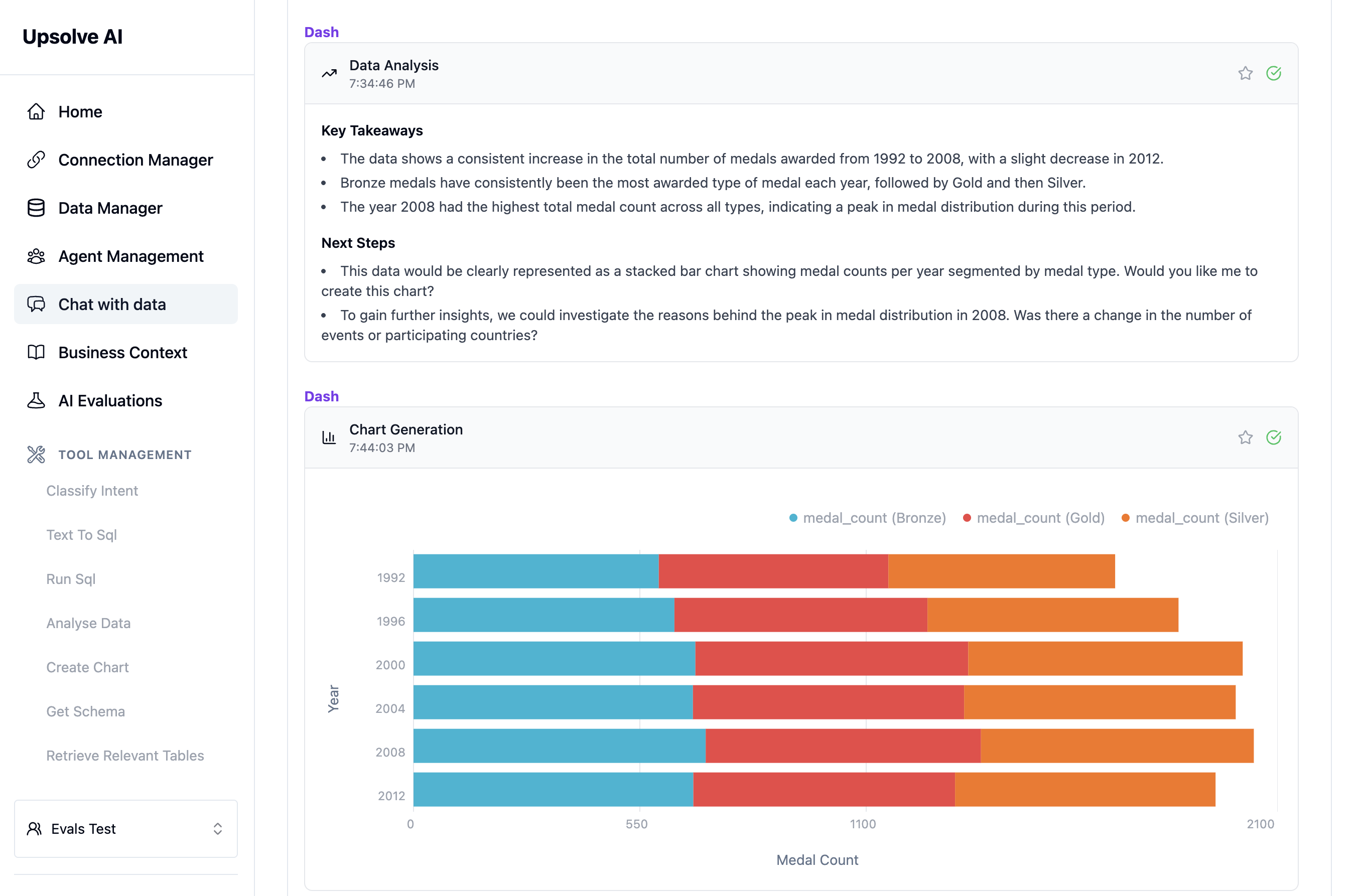
The Data-Aware Agent Builder is a platform that lets you create AI agents capable of turning natural language questions into accurate SQL queries, analyzing results, and generating insights. Whether you're building a "chat with data" feature for your product or need an internal analyst assistant, this platform provides the tools to make your AI data-aware.
## Key Capabilities
* **Natural Language to SQL**: Your agent converts questions like "What were our top products last quarter?" into accurate SQL queries
* **Automatic Analysis**: Analyzes query results and extracts key insights without manual intervention
* **Chart Generation**: Creates appropriate visualizations based on the data and question context
* **Learning System**: Improves over time through Golden Assets that capture successful question-answer patterns
* **Quality Assurance**: Built-in evaluation tools to test your agent before deployment
## What's in These Docs
These documentation guides will help you:
1. **Get Started Quickly** - Connect your data and start asking questions in minutes
2. **Build Golden Assets** - Create examples that make your agent more consistent and accurate
3. **Set Up Evaluations** - Test your agent's performance with ground-truth comparisons
4. **Choose Integration** - Deploy as a standalone app, embed in your product, or use headless APIs
5. **Optimize Performance** - Configure selectable columns and manage data access for best results
Whether you're a business user exploring data or a developer building AI features, these guides provide step-by-step instructions to get your data-aware agent up and running.
## Ready to Start?
Jump into the [Quick Start Guide](setup-guide) to connect your first data source.
## What is the Data-Aware Agent Builder?
The Data-Aware Agent Builder is a platform that lets you create AI agents capable of turning natural language questions into accurate SQL queries, analyzing results, and generating insights. Whether you're building a "chat with data" feature for your product or need an internal analyst assistant, this platform provides the tools to make your AI data-aware.
## Key Capabilities
* **Natural Language to SQL**: Your agent converts questions like "What were our top products last quarter?" into accurate SQL queries
* **Automatic Analysis**: Analyzes query results and extracts key insights without manual intervention
* **Chart Generation**: Creates appropriate visualizations based on the data and question context
* **Learning System**: Improves over time through Golden Assets that capture successful question-answer patterns
* **Quality Assurance**: Built-in evaluation tools to test your agent before deployment
## What's in These Docs
These documentation guides will help you:
1. **Get Started Quickly** - Connect your data and start asking questions in minutes
2. **Build Golden Assets** - Create examples that make your agent more consistent and accurate
3. **Set Up Evaluations** - Test your agent's performance with ground-truth comparisons
4. **Choose Integration** - Deploy as a standalone app, embed in your product, or use headless APIs
5. **Optimize Performance** - Configure selectable columns and manage data access for best results
Whether you're a business user exploring data or a developer building AI features, these guides provide step-by-step instructions to get your data-aware agent up and running.
## Ready to Start?
Jump into the [Quick Start Guide](setup-guide) to connect your first data source.