> ## Documentation Index
> Fetch the complete documentation index at: https://docs.upsolve.ai/llms.txt
> Use this file to discover all available pages before exploring further.
# SMTP Configuration
> Verify domain ownership and configure SMTP to deliver scheduled reports
Configure SMTP to send scheduled report emails from your own domain. This ensures high deliverability and a trusted sender identity.
### Prerequisites
* Access to your DNS provider (to add TXT/CNAME records)
* An email domain you control (e.g., example.com)
### Workflow: Verify Domain Ownership
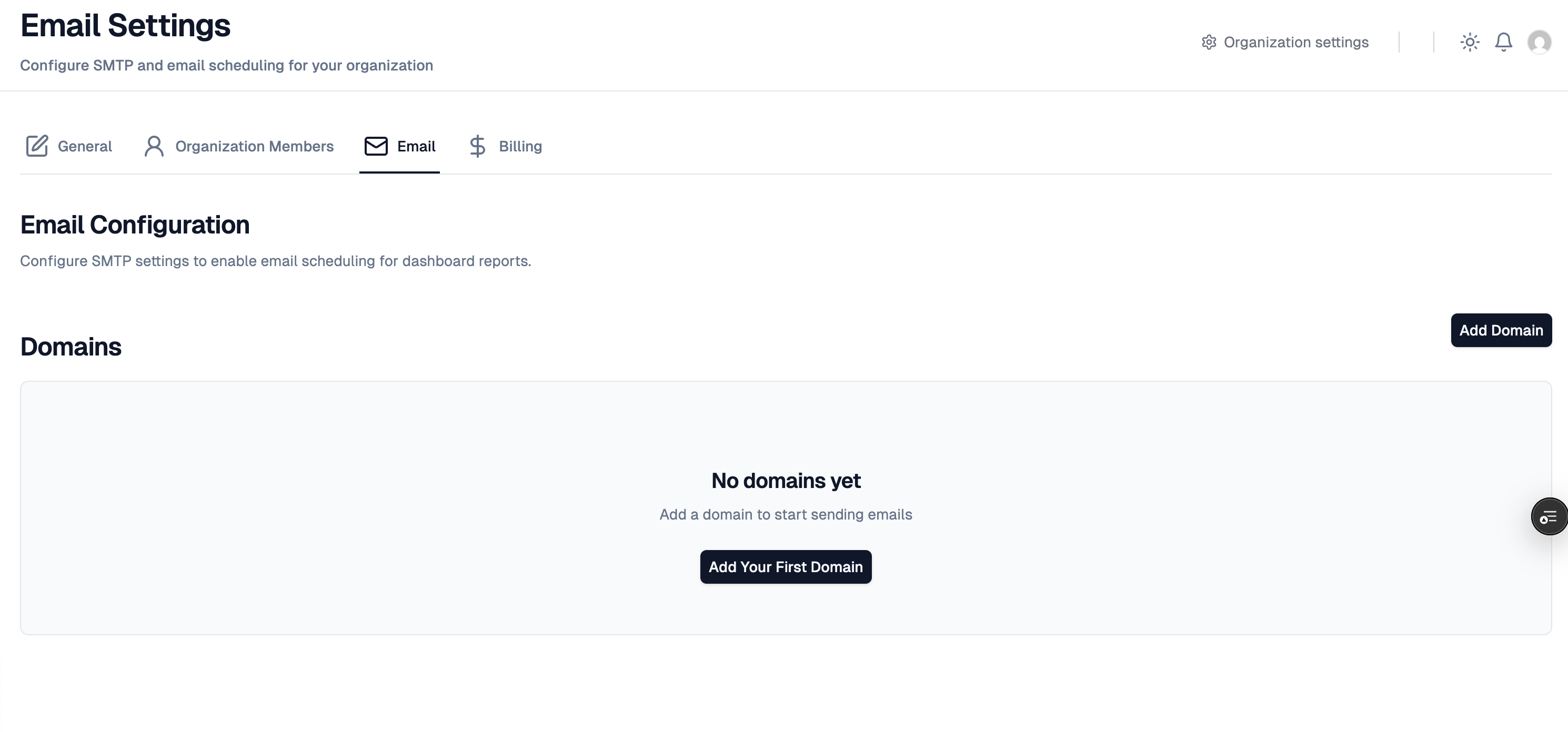
1. Navigate to Settings → Email (SMTP) in the Hub
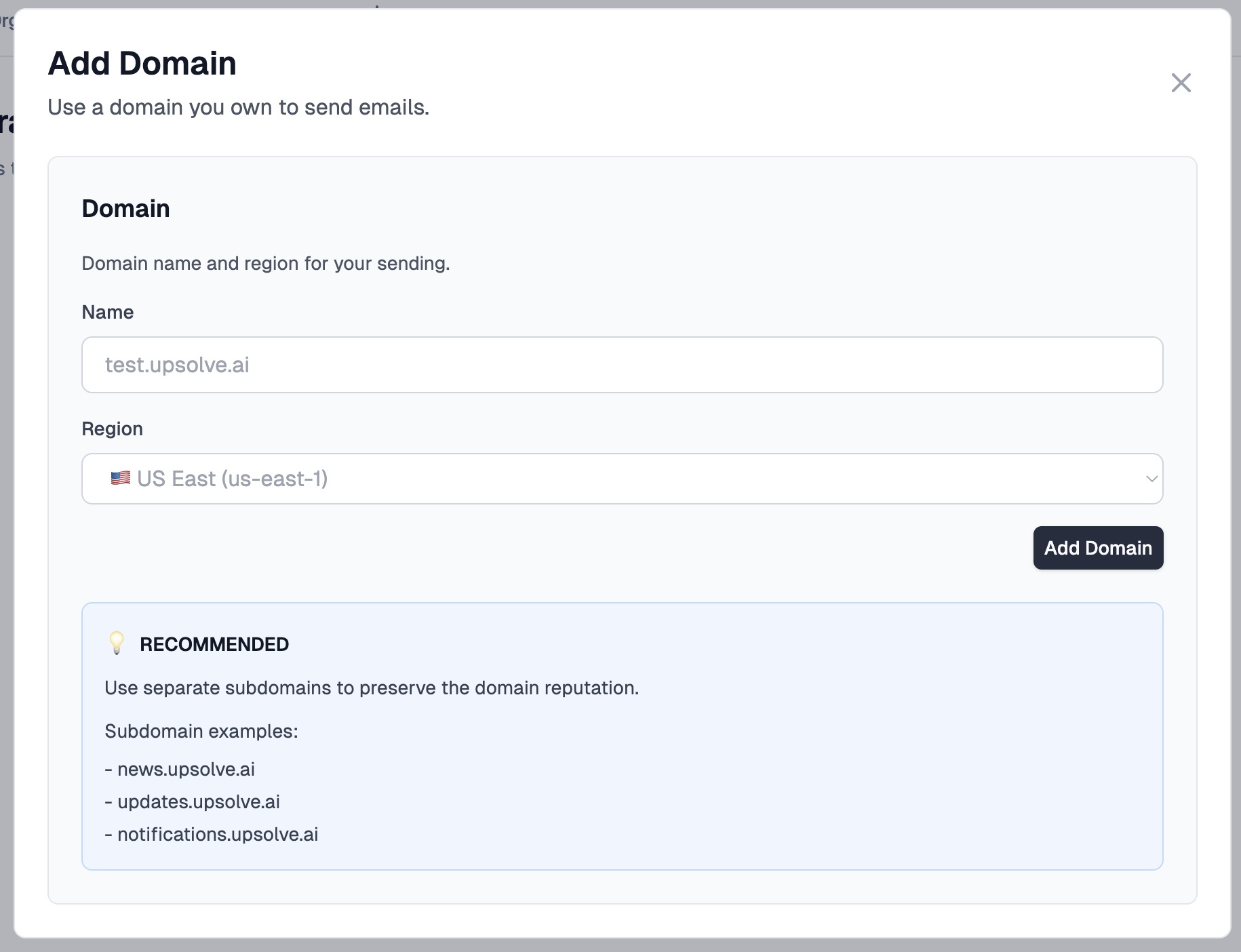
2. Enter your sending domain (e.g., reports.example.com or example.com)
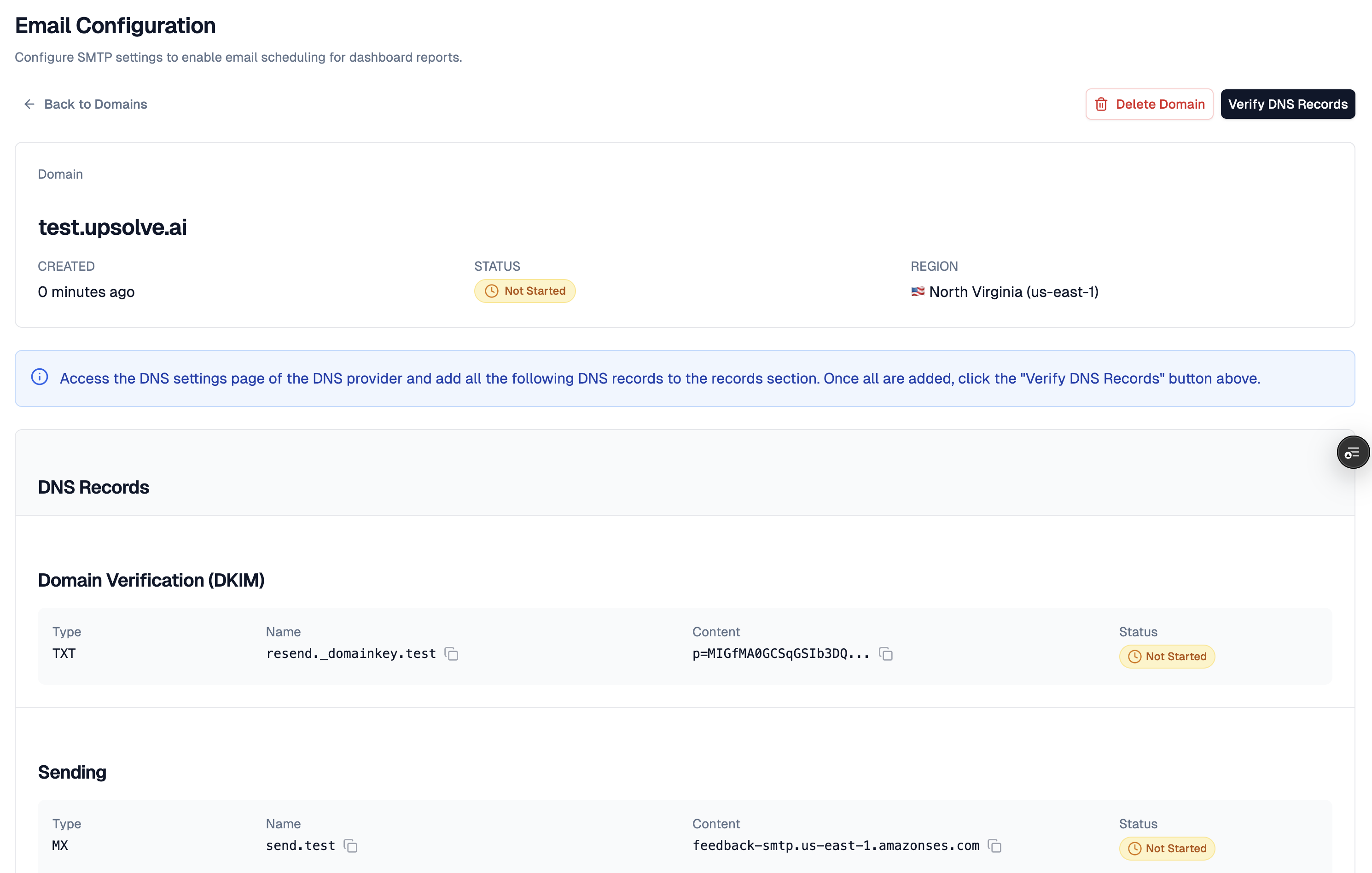
3. Copy the DNS records (TXT/CNAME) displayed for verification
4. Add these records in your DNS provider
5. Click "Verify" in the Hub once DNS propagates
 ### Troubleshooting
* Verification pending: DNS can take time to propagate; check with `dig` or your DNS console
* DMARC alignment: ensure SPF/DKIM pass for better deliverability
### Troubleshooting
* Verification pending: DNS can take time to propagate; check with `dig` or your DNS console
* DMARC alignment: ensure SPF/DKIM pass for better deliverability