

The problem every data team hits
Your KPIs are documented in Notion. Your business logic lives in a SQL file from 2021. Your team has spent years building institutional knowledge about what the numbers actually mean — what counts as “revenue,” which user segments to exclude, when to apply which filter. Generic AI tools know none of it. Connect them to your database and they’ll generate SQL — but not the right SQL for your specific data model, with your specific business rules applied correctly. The answers look right, but aren’t. And that destroys trust faster than having no AI at all.What Upsolve is
Upsolve is where data teams encode that institutional knowledge into a reliable analytics agent, then put it in front of the whole business. It’s a two-sided platform. On one side, data experts use Agent Studio to teach the agent everything it needs to know, organized into workspaces. Each workspace pairs a curated data model with the agent built on it: which tables matter, what your KPIs actually mean, examples of correct answers to common questions, and rules for who sees what data. On the other side, business users ask that agent questions wherever they already work (inside your product, in Claude or another AI assistant, or in Slack) and get answers that use the full context, without involving the data team every time.How a workspace comes together
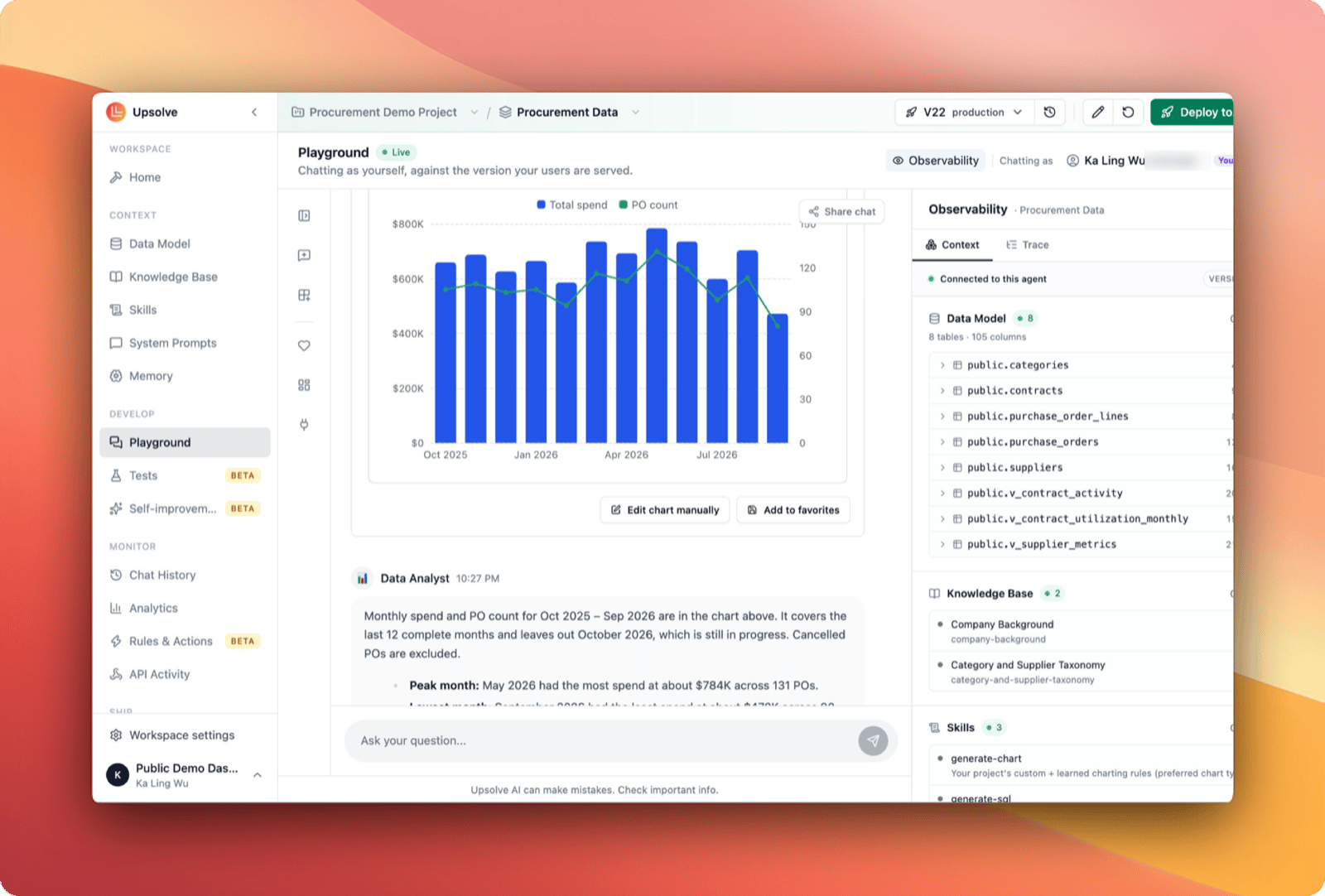
A workspace is where you build one analytics agent. A reliable agent isn’t just a model connected to a database: it’s a model that has been deliberately taught your business. Set it up in minutes. When you create a workspace, the Builder agent offers to configure it for you. It reads your schema and what your core tables contain, takes in any definitions you upload or connect, and writes the first draft of the context: descriptions, skills, prompts and knowledge. Or configure it yourself, page by page. Encode your context. The workspace’s Data Model page decides which tables and columns the agent can see. Its other pages annotate them with business meaning, write the rules the agent always follows, and give it examples of how your team answers common questions. This is the core work, and it’s what makes the agent trustworthy rather than just capable. Ask the Builder agent in plain English and it makes these edits for you. Test before you ship. Write test cases (questions the agent must answer correctly) and run them against every change. Changes land in a draft, and saving a version can require your tests to pass, so nothing reaches your users until it does. Ship it where people work. Embed the agent and its canvases in your product, connect it to Claude and other AI assistants over MCP, or answer in Slack. Upsolve handles multi-tenancy and row-level security, so every user sees only their own data. Monitor and improve. Chat History records each conversation with its evaluations, feedback and cost, so gaps in the agent’s context surface on their own. Fixing one means adding context, not retraining a model. The Builder agent can do it for you: on request, or on a schedule with Self-improvement, which reviews recent chats and suggests fixes for you to apply.Get started
Complete Setup Guide
From a new project to a live workspace, with the Builder agent doing the setup or by hand.
Run Upsolve locally
One command on your own machine, against your own PostgreSQL. No account needed.
Use Upsolve from Claude
Connect Claude, ChatGPT, Cursor or any MCP client to ask questions and build workspaces.
Workspaces
One data model and one agent, versioned and published together.
Build the context
Data Model
Choose which tables and columns the agent can see, and annotate them with business meaning.
System Prompts
Encode business rules, KPI definitions and guardrails.
Golden Assets
Example queries and charts the agent references for common questions.
Develop and monitor
Builder Agent
Let it set up a new workspace, then describe any change in plain English.
Tests
Check every change against the questions your agent must get right.
Chat History
Every conversation, with its evaluations, feedback and cost.
Self-improvement
Scheduled reviews of your chats that suggest fixes for you to apply.
Ship to your users
Embed in your product
One API key, one backend call, one iframe, with each user’s data kept separate.
Upsolve MCP Server
Ask from Claude, ChatGPT, Cursor and other AI assistants.
Use Upsolve in Slack
Answers, charts and next steps in a Slack thread.
Connect your API
Let the agent look things up and act in your product.