

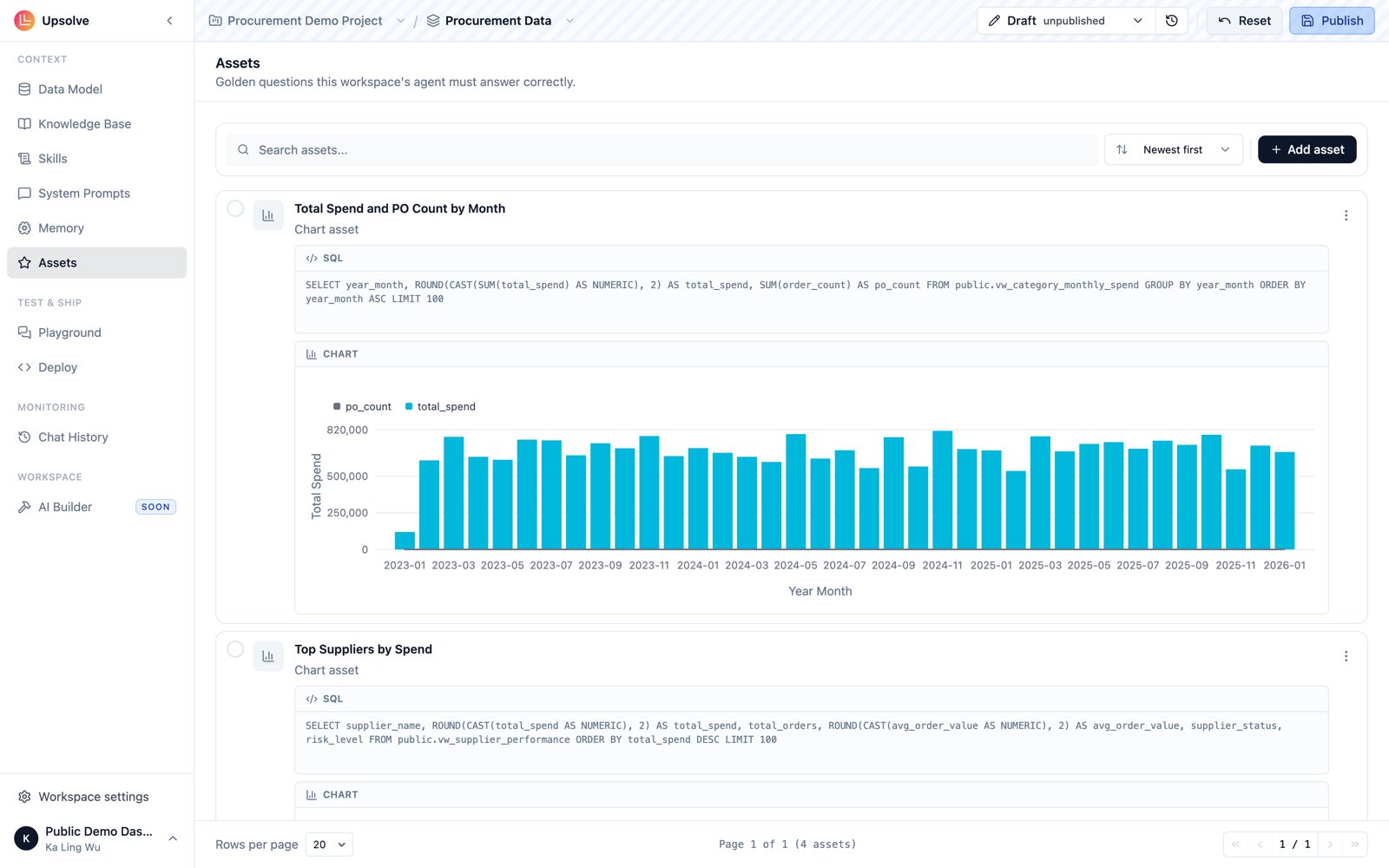
Golden queries
A Golden Query is a natural language question paired with the correct SQL that answers it. When a user asks a question, the agent searches your Golden Query library for semantically similar examples and uses them as reference when writing its own SQL — reducing errors and improving consistency on the question types your team cares about most.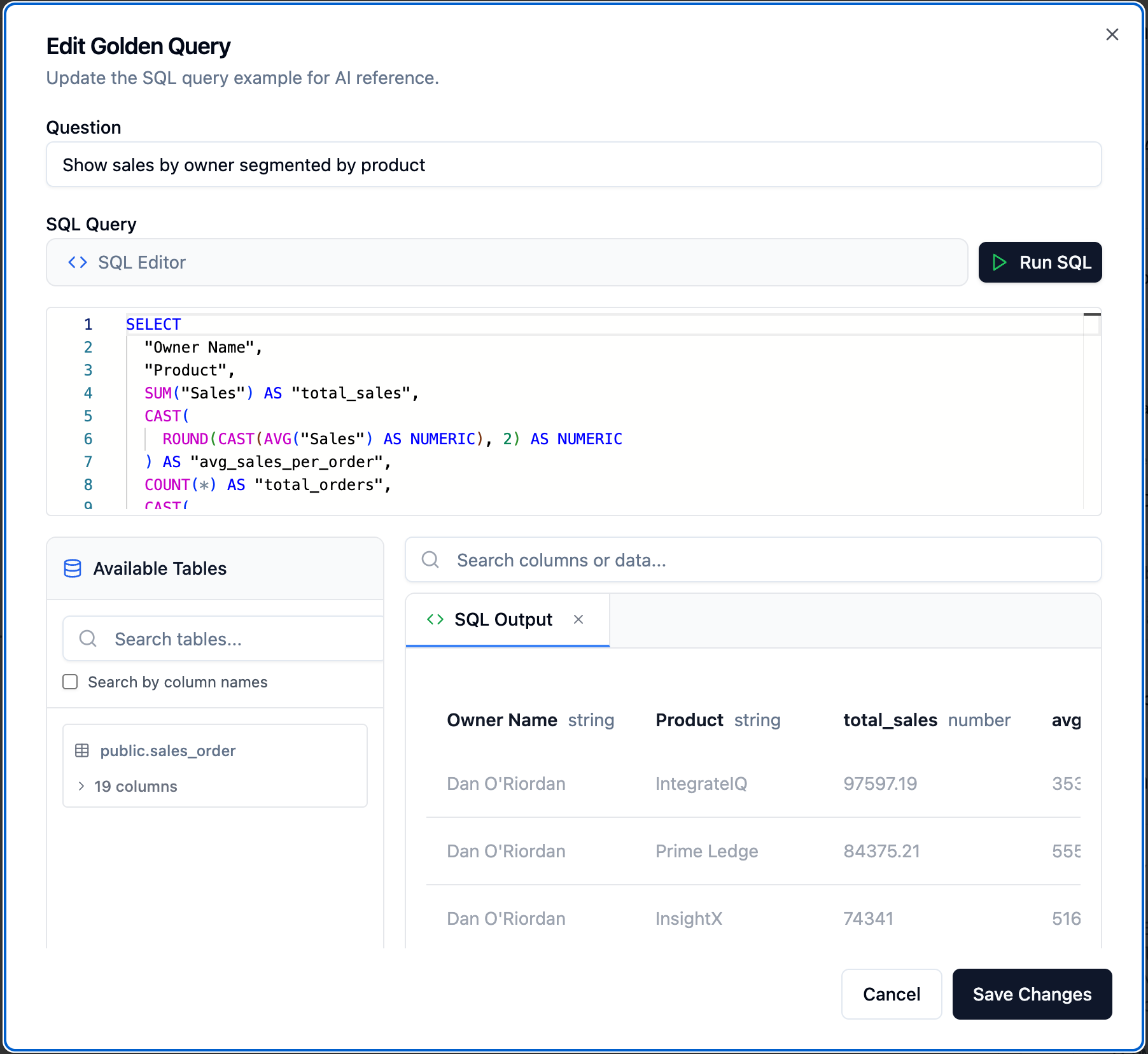
- Open your workspace and go to its Assets page
- Select Golden Queries
- Click + Add Query
- Enter the question as a user would phrase it (e.g. “Show sales by owner segmented by product”)
- Enter the correct SQL that answers it
- Save
- Questions with non-obvious join logic or filter requirements specific to your schema
- KPI calculations that have a precise definition (e.g. “revenue” as a specific formula, not just a column name)
- Questions where the correct answer depends on business rules the agent can’t infer from column names alone
- Common questions that appeared in your evaluation suite and the agent previously got wrong
Golden charts
A Golden Chart pairs a question and SQL with a specific chart configuration — the visualization type, axis mappings, and formatting settings that produce the right output for that question. When the agent answers a similar question, it uses the Golden Chart as a reference for how to render the result.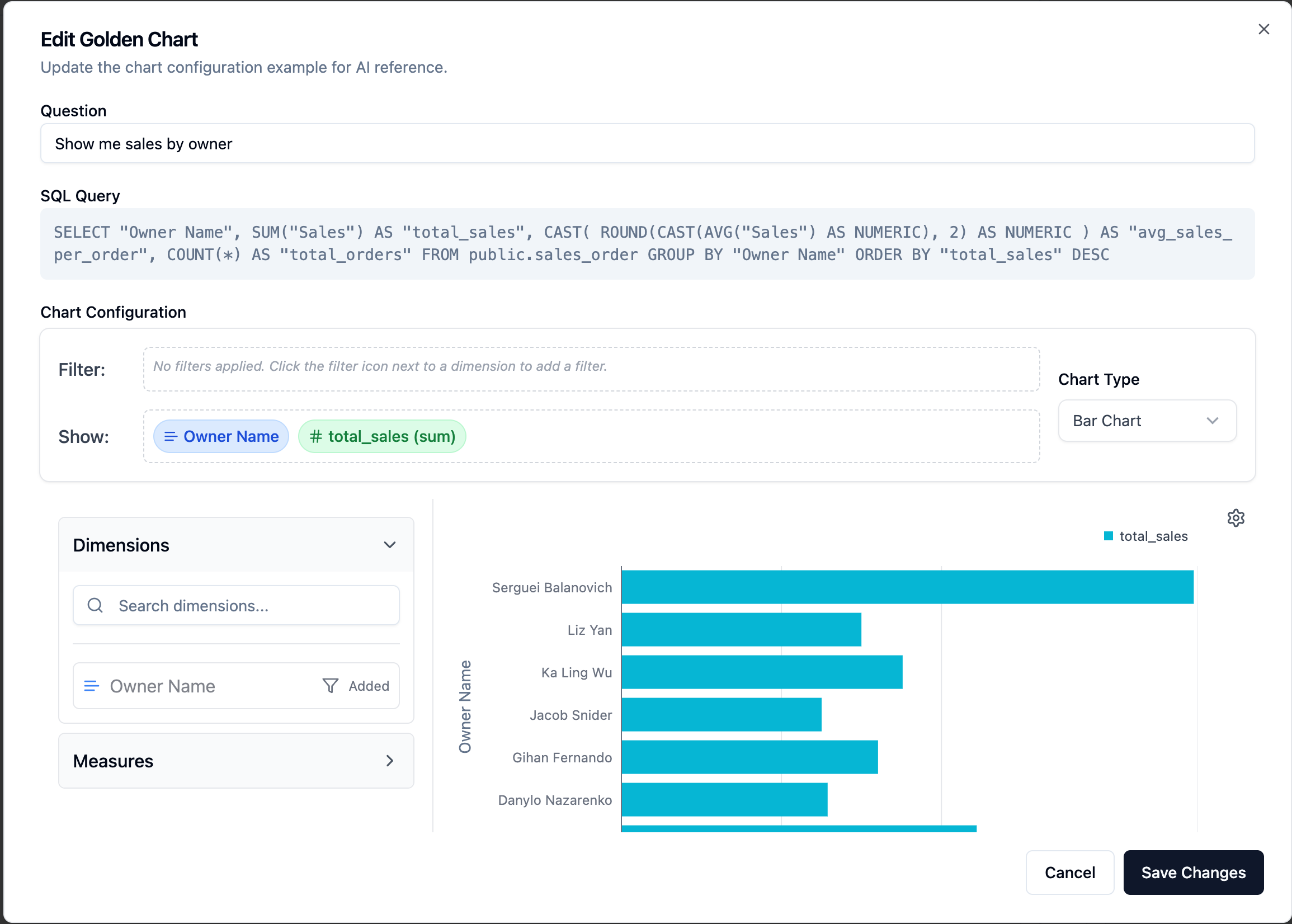
- Open your workspace and go to its Assets page
- Select Golden Charts
- Click + Add Chart
- Enter the question, the SQL, and configure the chart type and axis settings
- Save
Golden Queries and Golden Charts are retrieved based on semantic similarity to the user’s question, not keyword matching. Write the question field in natural language — the same way a business user would ask it — to maximize the quality of retrieval.
Next steps
System Prompts
Encode business rules and behavioral guardrails that apply across all queries.
Skills
Turn repeated procedures into reusable know-how the agent loads on demand.
Knowledge Base
Store the reference documents Golden Asset SQL assumptions are based on.
User Memory
Let the agent adapt outputs to each end user’s preferences.
The Workspace Agent
See how the agent halves of a workspace fit together, from Playground to Deploy.
MCP as Context Source
Connect external tools and live systems as additional agent context.