

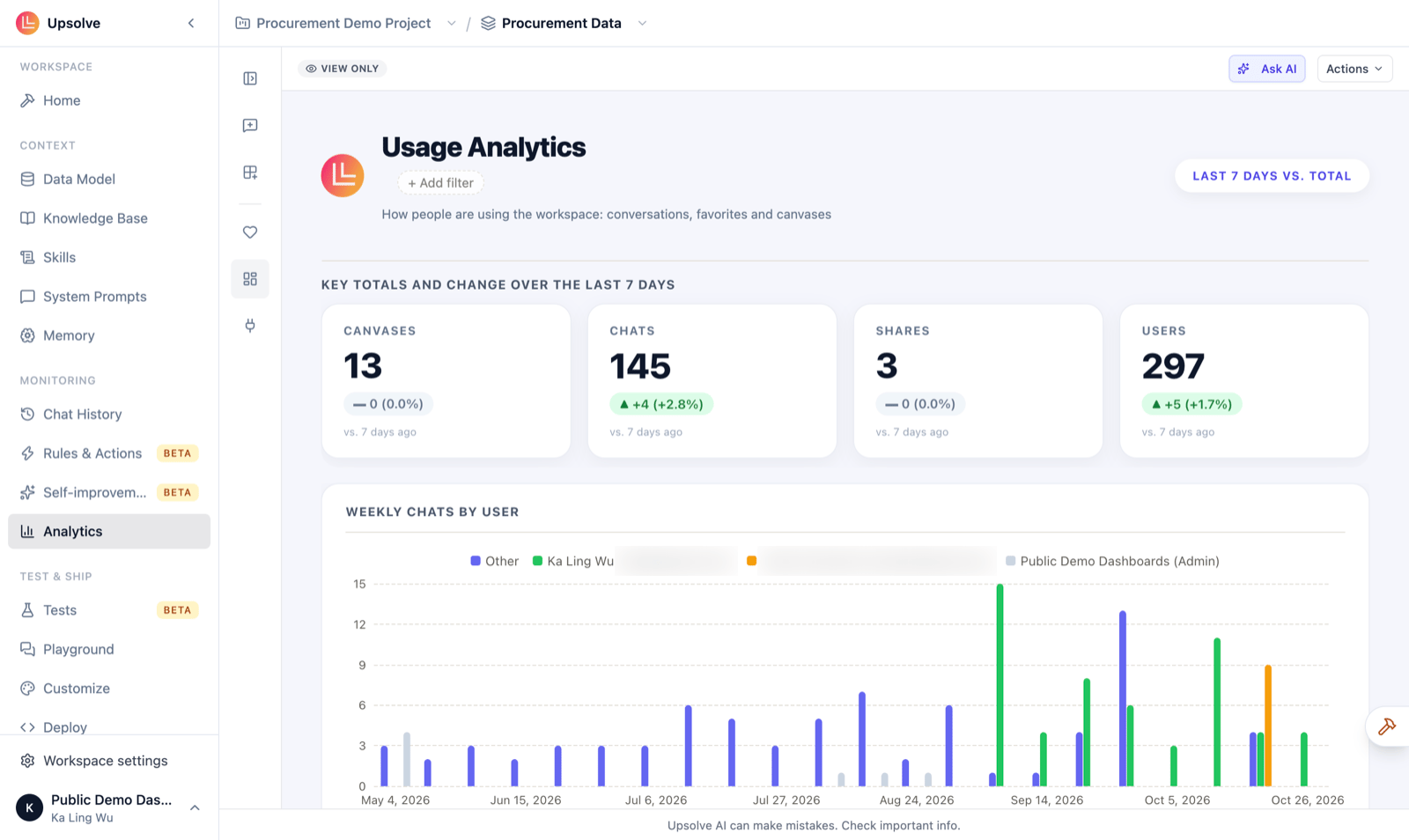
What the board shows
- Key totals: how many Canvases, Chats, Shares and Users there were in the last 7 days, and the change from the 7 days before.
- Weekly chats by user: conversations per week, for your top users, with everyone else grouped as Other.
- Chats by user, Favorites by user and Canvases by creator: who is doing the most of each.
Ask about your usage
For anything the board doesn’t show, click Ask AI. Analytics is itself an Upsolve analytics agent over your usage data, so you can ask in plain English, for example “which users asked the most questions last month?”, and get an answer with a chart. Your earlier questions are kept for next time.How it differs from Chat History
Chat History is a list of one workspace’s conversations, row by row, with their evaluations, feedback and cost. Use it to inspect a particular answer. Analytics is the bigger picture: totals, trends and who is using Upsolve, without adding it up yourself.Who can see it
- Builders only. Owners, admins and members can open Analytics. Read-only members and end users can’t.
- Not in every deployment. Analytics isn’t available in Upsolve Local, or in a self-hosted deployment that hasn’t been set up for it. There the page says “Analytics isn’t available here”.
Next steps
Chat History
Inspect individual conversations, with their evals, feedback and cost.
Canvas
Build boards like this one over your own data.