

The Knowledge Base is available for orgs on the skills + persistent-memory architecture.
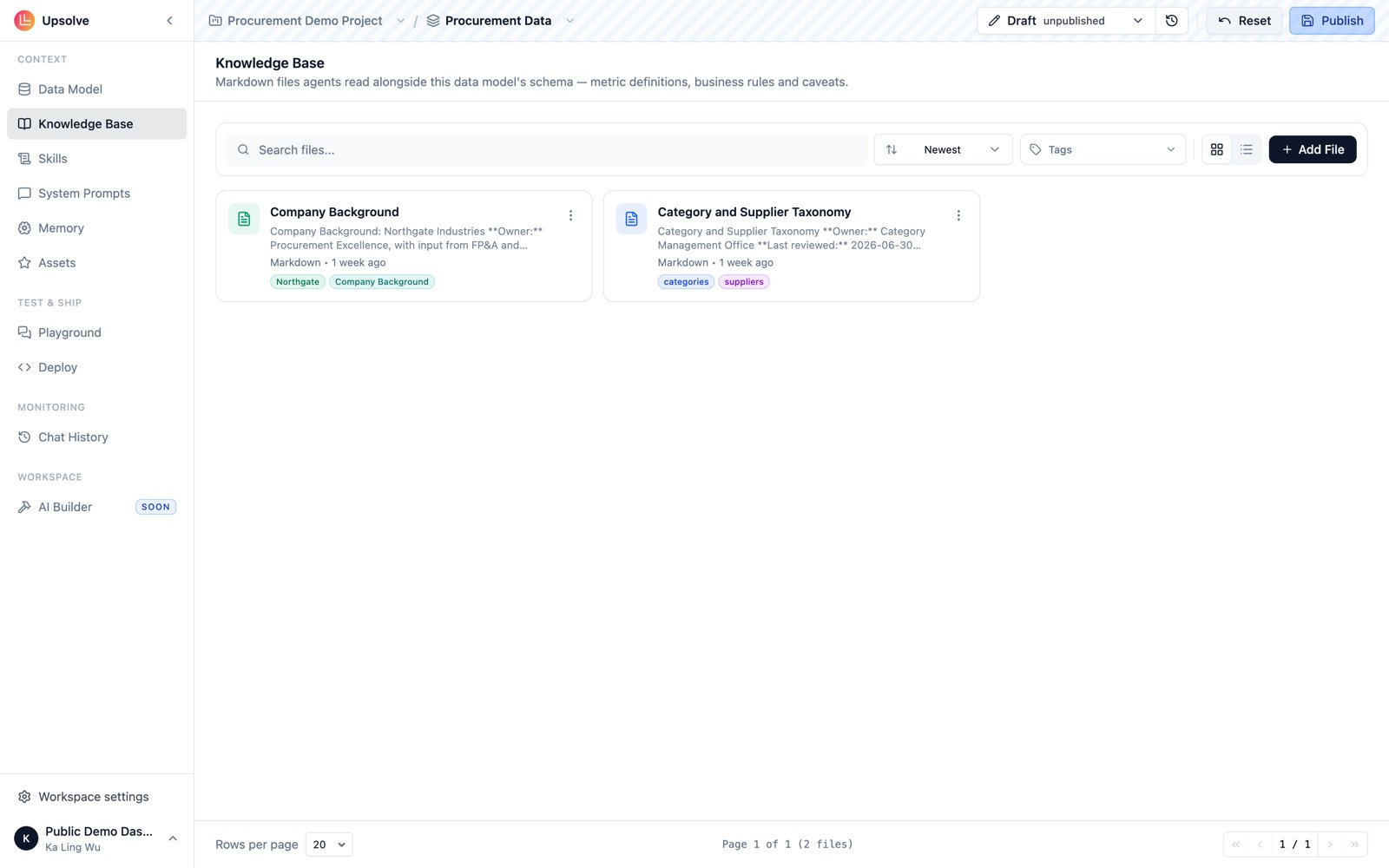
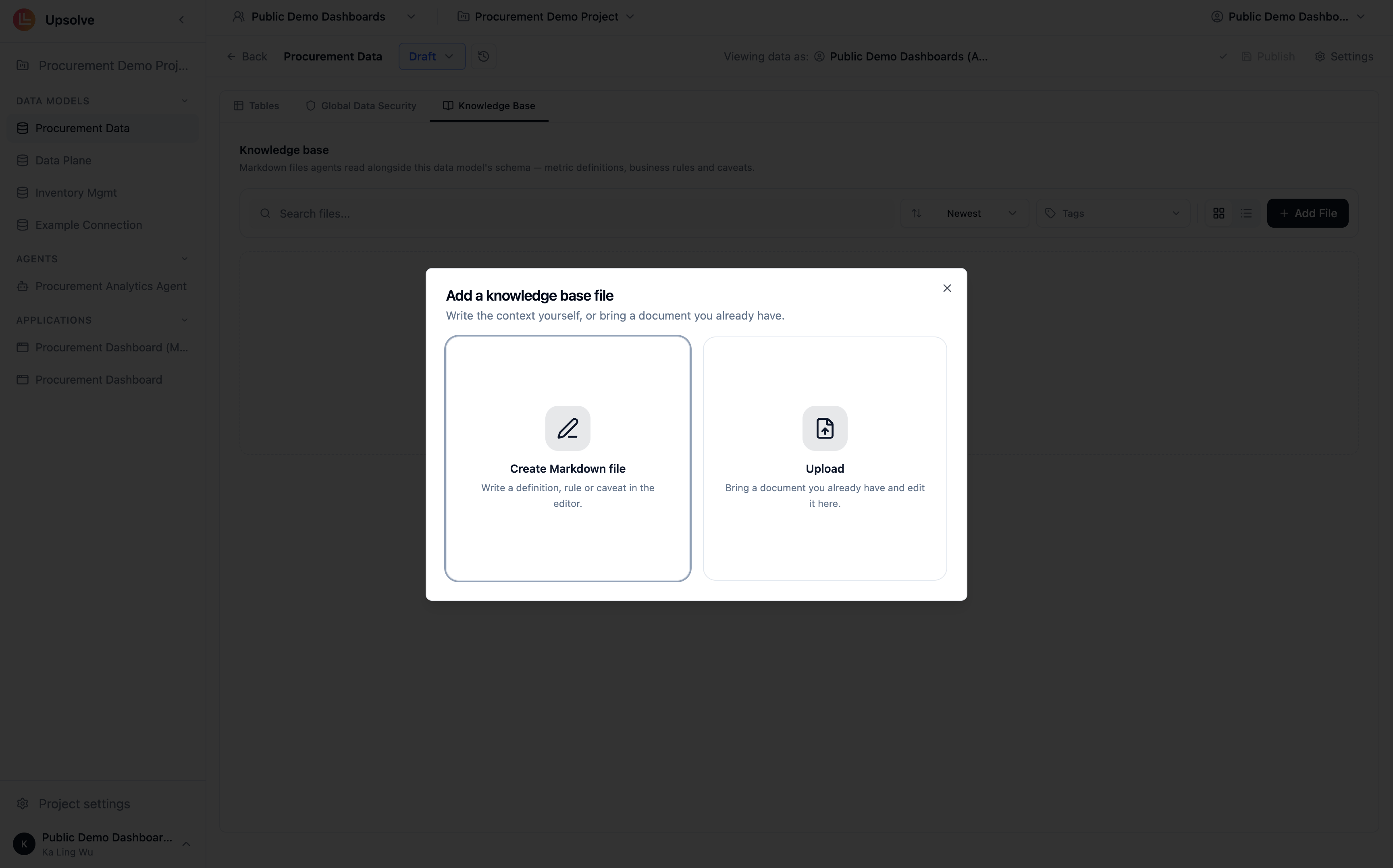
Adding files
Files can be added two ways from the Knowledge Base page: Create inline — write a new document directly in the built-in markdown editor. Best for definitions and rules you’re authoring for the agent in the first place. Upload — drop in existing.md, .txt, or .docx files. Uploads are converted to Markdown so that every file is editable in the same editor, diffable between versions, and readable by agents without a parser. The original file is not stored.
What belongs in the Knowledge Base
- Definitions — the canonical meaning of terms users will use loosely (“gross margin”, “active account”, “churn”)
- Business rules and policies — refund windows, SLA tiers, pricing rules the agent should cite rather than guess
- Company background — how the business is structured, what entities relate to what
- Data caveats — “the
legacy_orderstable stops at March 2024”, “EMEA revenue excludes partner channels”
Versioning
The Knowledge Base is version-aware, just like the rest of the workspace. There is one working copy per workspace, and writes land on the draft version. Files are checkpointed when you publish a workspace version, so every published version carries the exact set of documents the agent had at that point — and edits never silently alter a version that’s live in production. See Workspaces for how draft and production versions work.How the agent uses it
At chat time, the agent doesn’t preload your Knowledge Base. It reaches in with two tools:search_context_files— finds files relevant to the user’s questionread_context_file— reads a specific file’s contents in full
Next steps
Data Model & Schema
The foundation the Knowledge Base sits in — tables, columns, descriptions, and versioning.
Skills
Package procedures and conventions the agent loads on demand.
System Prompts
Short, always-on rules that apply to every message.
Golden Assets
Example questions with trusted SQL and charts, retrieved by similarity.