

Skills are a Beta feature, available for orgs on the skills + persistent-memory architecture.
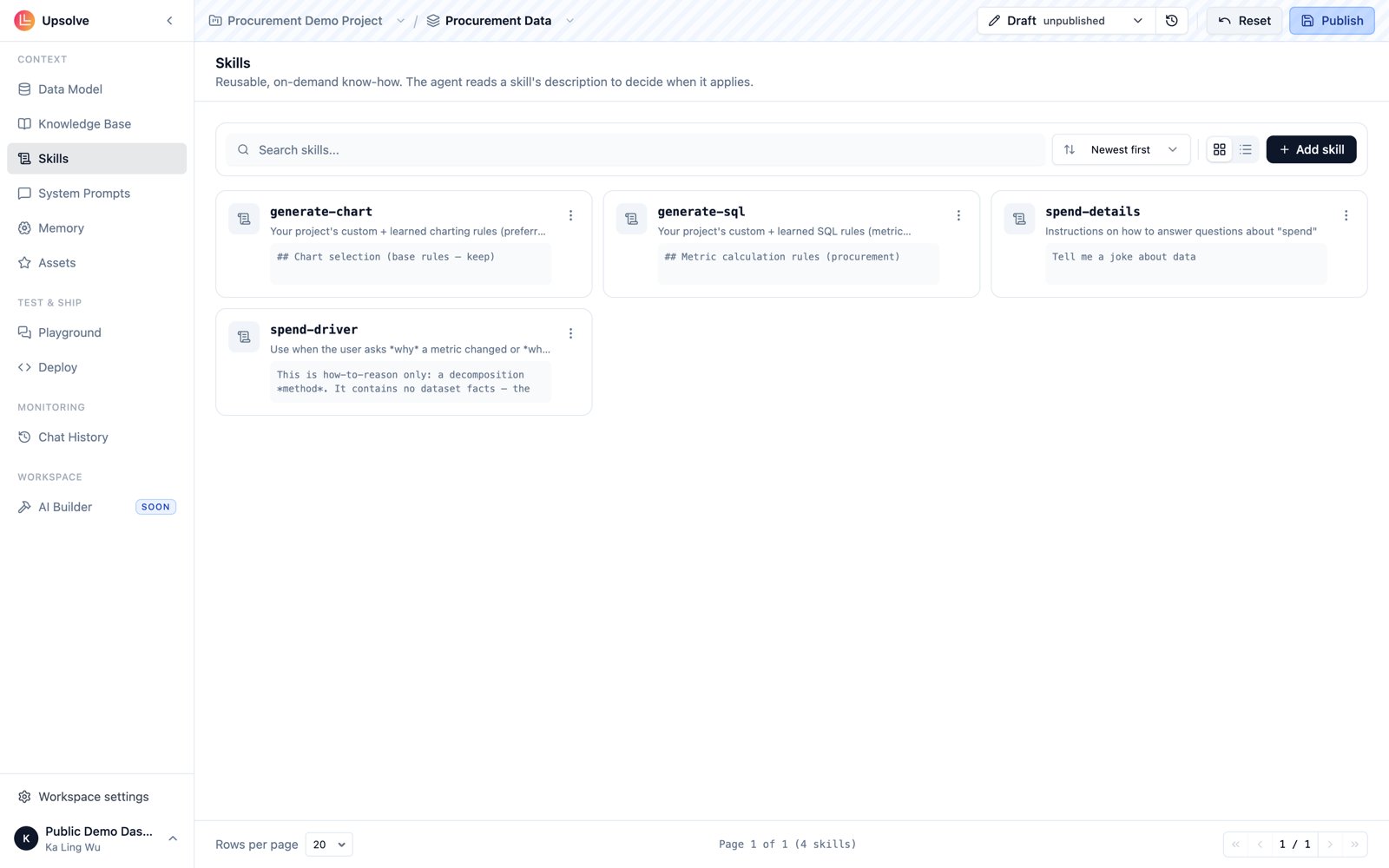
Anatomy of a skill
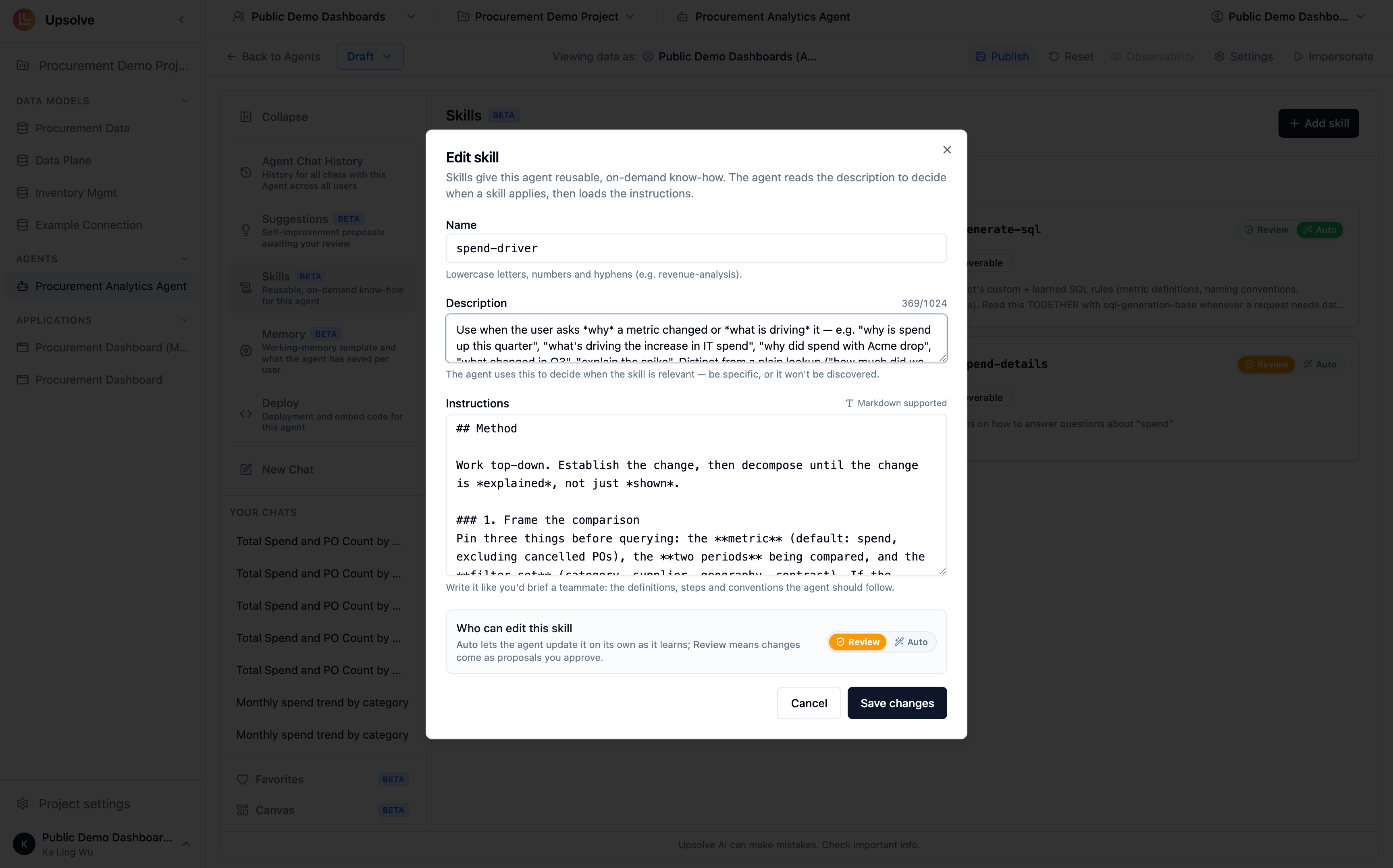
Open your workspace and go to its Skills page, then click Add skill. Every skill has three parts: Name — a lowercase, hyphen-separated slug that identifies the skill, e.g.revenue-analysis or cohort-retention. Names must be unique within the workspace.
Description — one or two sentences on what the skill covers and when to use it. This is what makes the skill discoverable: the agent reads descriptions to decide whether a skill is relevant to the user’s question before loading its instructions. Write it the way you’d answer “when should I reach for this?”
Instructions — the markdown body the agent works from once the skill is loaded: definitions, step-by-step procedures, formulas, and conventions. This is where the detail lives, because it only enters the agent’s context when needed.
What good instructions look like
Structure instructions so the agent can scan them quickly. A proven shape:- When to apply — the trigger conditions, restating and sharpening the description
- Definitions — the precise meaning of every term the procedure uses
- Steps — the procedure itself, in order, with formulas and edge cases spelled out
Loading modes
Every skill carries a loading mode, shown as a badge on its card:
Skills you create are Discoverable — this is what keeps skill-based context lean, since a skill’s full instructions only enter the agent’s context when its description says they’re relevant.
Who can edit a skill
Skills can improve over time, and the Who can edit setting controls how:- Auto — the agent updates the skill itself as it learns from conversations.
- Review — the agent proposes changes, and you approve them before they take effect.
Skills apply to every user of the agent — there is no per-user tier. For preferences that adapt to individual end users, see User Memory.
When changes take effect
Skill edits land on the workspace’s draft and are picked up immediately in the Playground — try them with your very next message. Chats from a deployed embed, though, are served the workspace’s production version, so a skill edit only reaches end users once you publish the workspace and promote the version to production. See Workspaces → Draft, Publish and Production.Next steps
Knowledge Base
Store reference documents the agent searches on demand to interpret your terms and policies.
User Memory
Let the agent record and apply each end user’s presentation and style preferences.
System Prompts
Encode always-on business rules and behavioral guardrails.
MCP as Context Source
Connect external tools and live systems as additional context for the agent.