

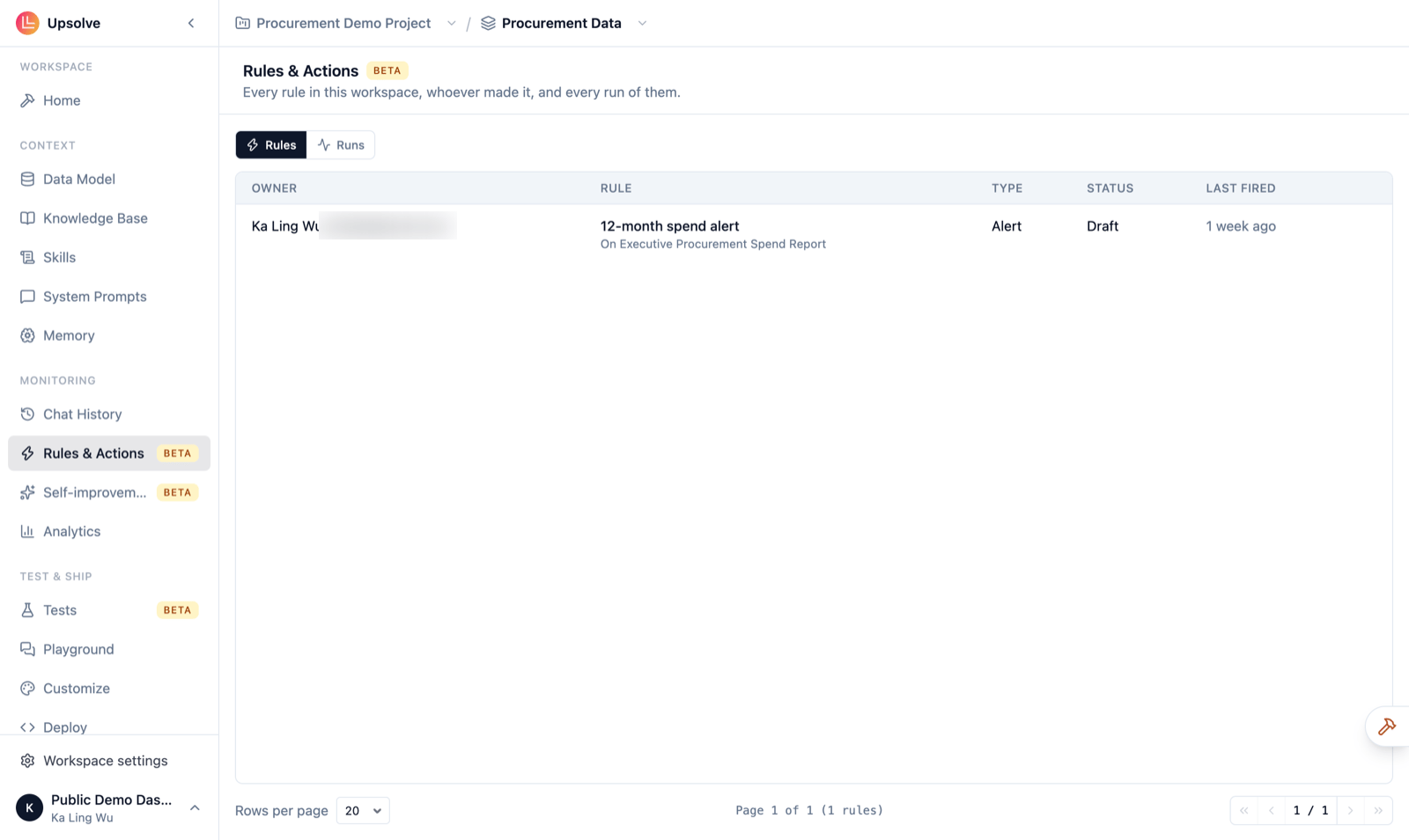
Rules
The Rules tab lists every rule in the workspace, most recently changed first:Why a rule is paused
Upsolve pauses a rule on its own, and says why in the Status column, when:- its owner was removed, or hasn’t been active for 14 days,
- its owner no longer has access to the canvas the rule reads,
- the canvas or chart the rule reads was removed,
- the connection it sends through needs reconnecting (Reconnect …),
- it failed too many times in a row, or
- a builder paused it (Paused by a builder).
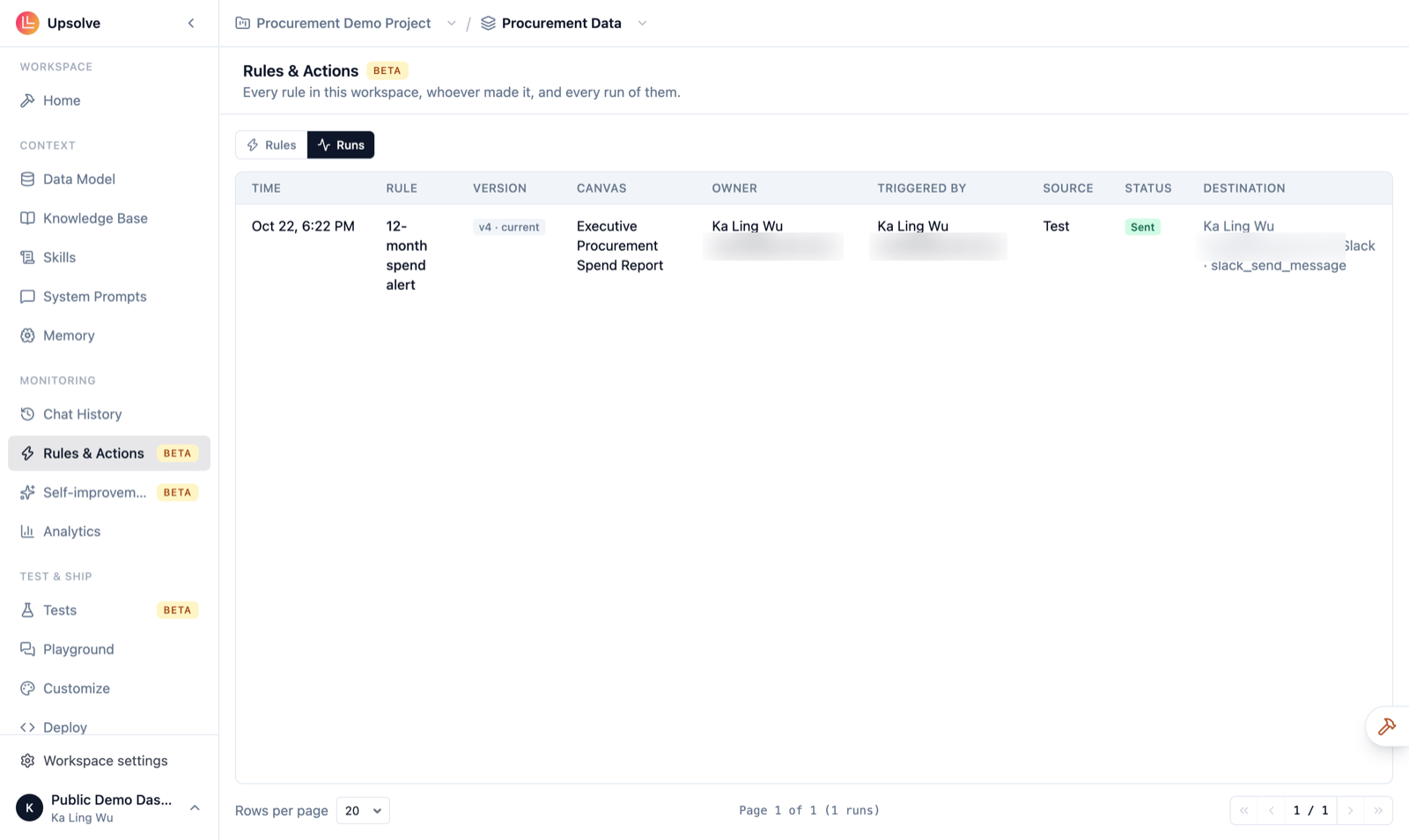
Runs
The Runs tab lists every time any rule ran, newest first:
To see exactly what a run sent (its data, the request and the response, its attachments), the rule’s owner opens it from the rule on the canvas. This page shows that a run happened and how it went, not its contents.
Pause a rule
Click Pause on any active rule to stop it straight away, for example when it is sending to the wrong place or firing too often. Its status becomes Paused by a builder. A paused button stays on its canvas, switched off. Only the rule’s owner can switch it back on, from the rule on their canvas. Owners, admins and members can open this page and pause rules. Read-only members can’t open it.Next steps
Rules & Actions
How rules are created, tested and switched on.
API activity
Every write rules and chats sent to your APIs.