

Favorites is currently marked Beta in the product.
Saving a favorite
Two things can be favorited, and both are saved from the answer itself:- A chart — click Add to favorites beneath any chart the agent rendered.
- A SQL result — expand Details under an answer and click Add to favorites next to the query.
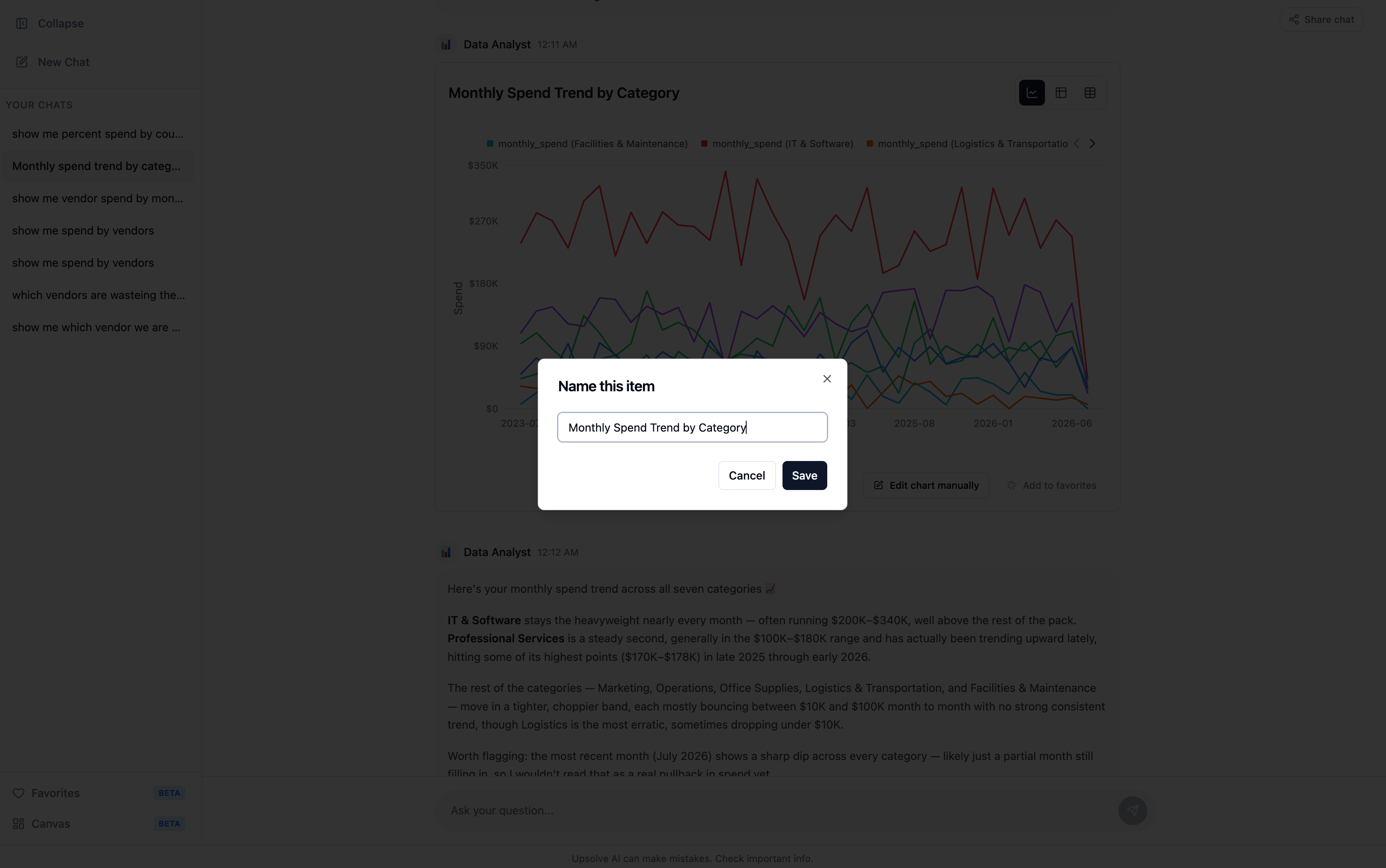
- The chart configuration — type, axes, formatting — so it renders the same way next time.
- The SQL behind it, so it can be re-run against live data.
- A snapshot of the rows as they were at save time, so the favorite can also be shown frozen.
- A link back to the conversation it came from.
The Favorites view
Favorites in the left sidebar lists everything the user has saved, as cards with a chart thumbnail, the name, and the type. A search box filters by name. Each card can be removed, with a confirmation step.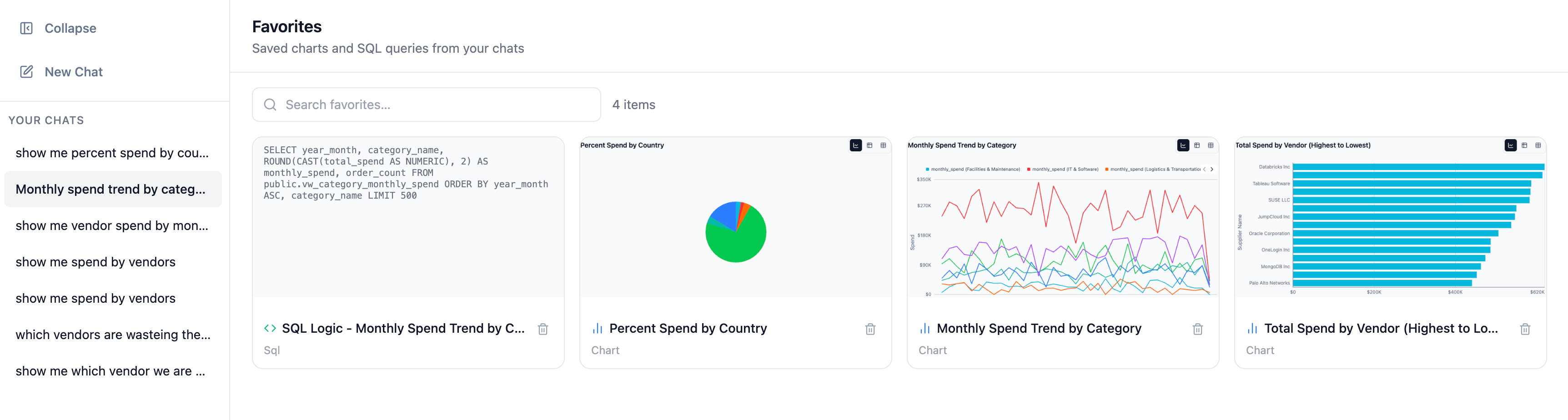
Using a favorite in a new question
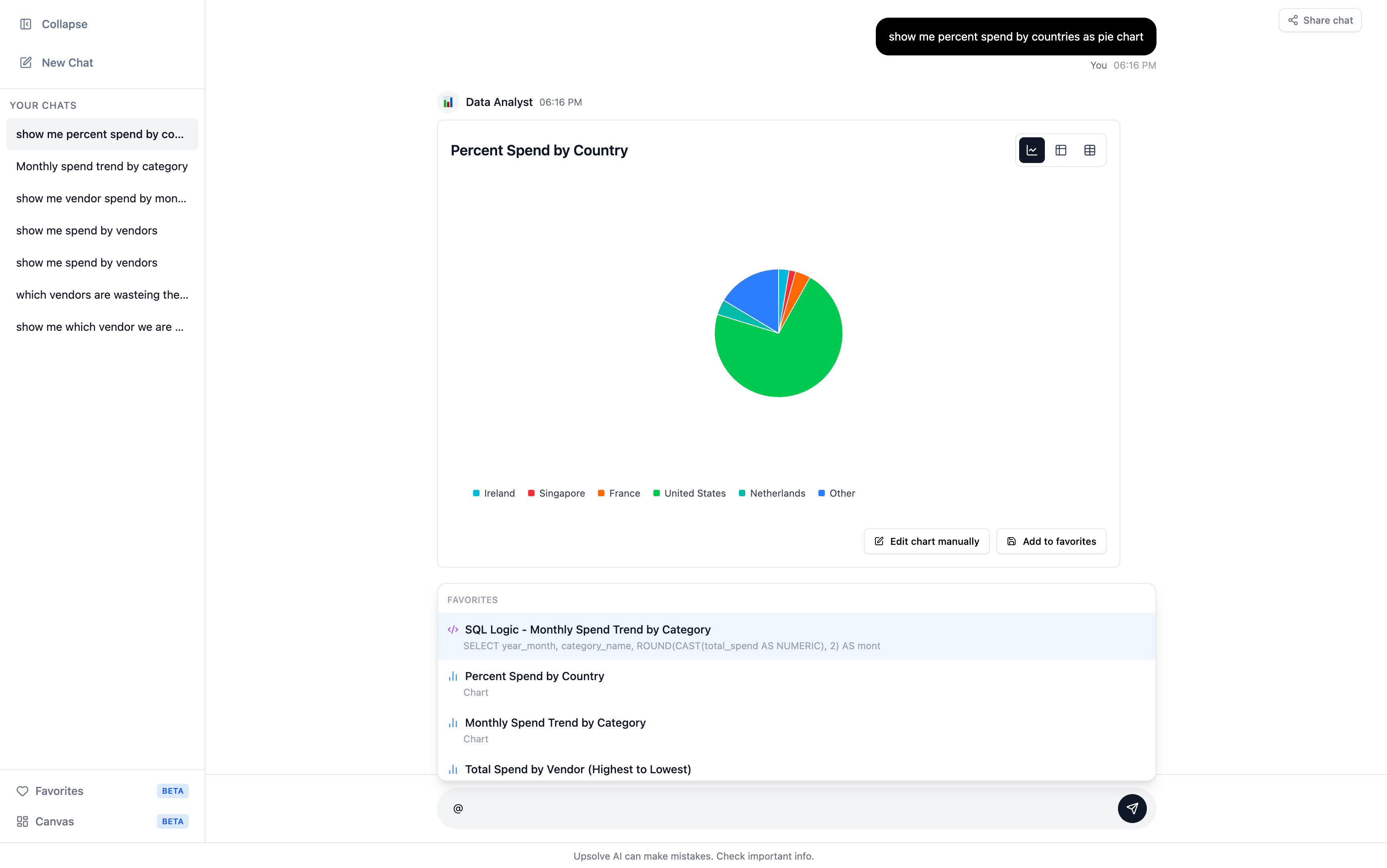
Favorites aren’t just an archive. Typing@ in the chat input opens a picker of the user’s saved favorites; selecting one inserts @FavoriteName into the message. The agent then has that chart or query as context for the new question — “break @Revenue by region down by product” works without re-establishing what “revenue by region” meant.
If a user has no favorites yet, the picker says so and points them at saving a chart or SQL result from chat first.
Revisiting the conversation behind a favorite
Clicking a favorite card opens the Session Context sidebar: the full conversation that produced it, with its date and duration, exactly as it happened.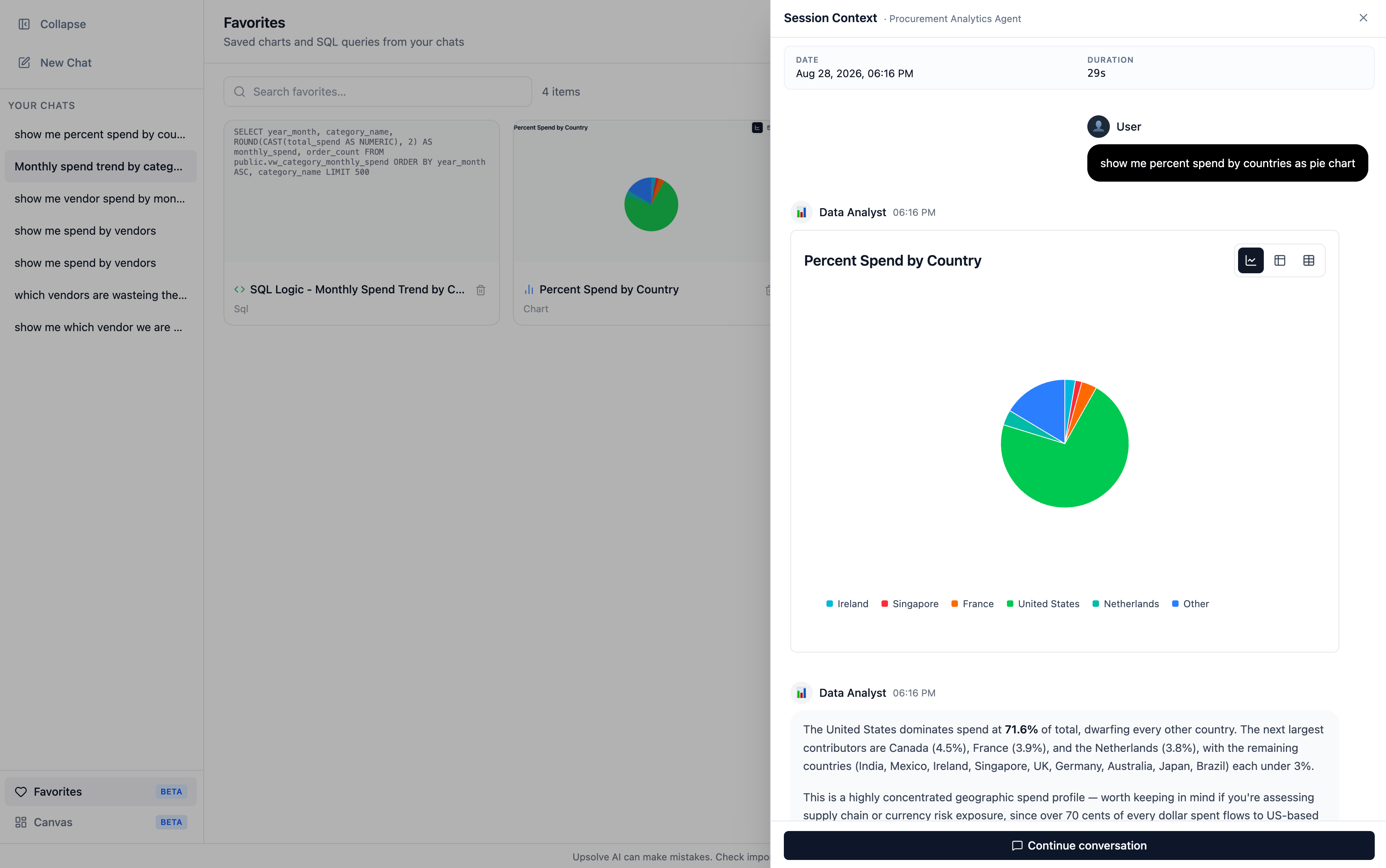
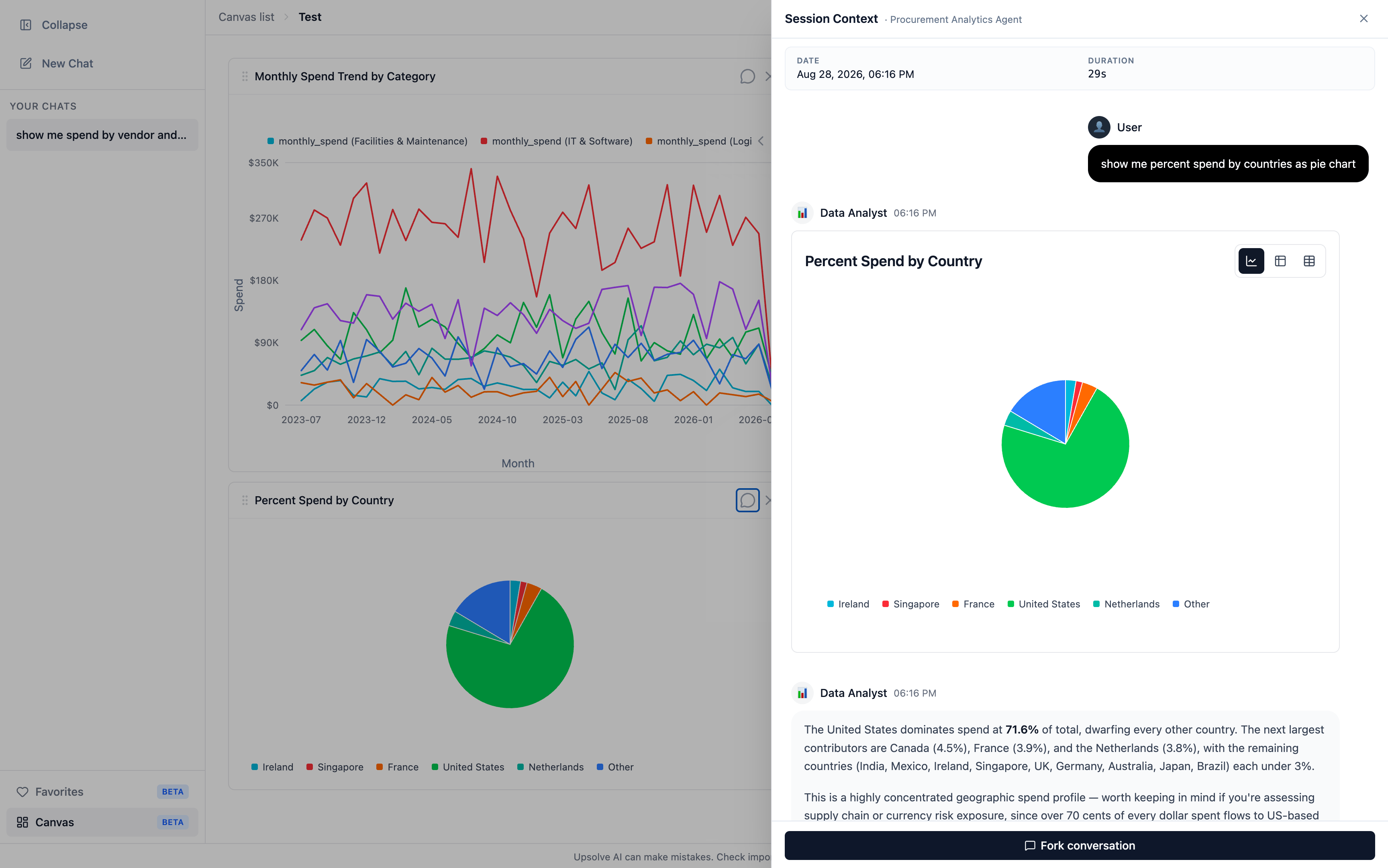
Which of the two buttons appears is decided from thread ownership, not from a setting. In Agent Studio a builder is always treated as the owner, so they can continue any conversation they’re inspecting.
What the builder sees
A favorite is a strong quality signal: the user is telling you this specific answer was worth keeping. Those are the best candidates for Golden Charts — an answer a real user chose to save is, by definition, a validated example of how that question should be answered. The conversation behind a favorite is an ordinary conversation, so it appears in Chat History with its full observability trace.Next steps
Canvas
Arrange favorites into a board and share it.
Golden Assets
Promote a favorited answer into a reference the agent retrieves.