

Prerequisites
Before you start, you will need an API Key from Pipedrive. Follow the steps below to obtain it:- Visit the Pipedrive website.
- It can be found under Settings > Personal preferences > API.
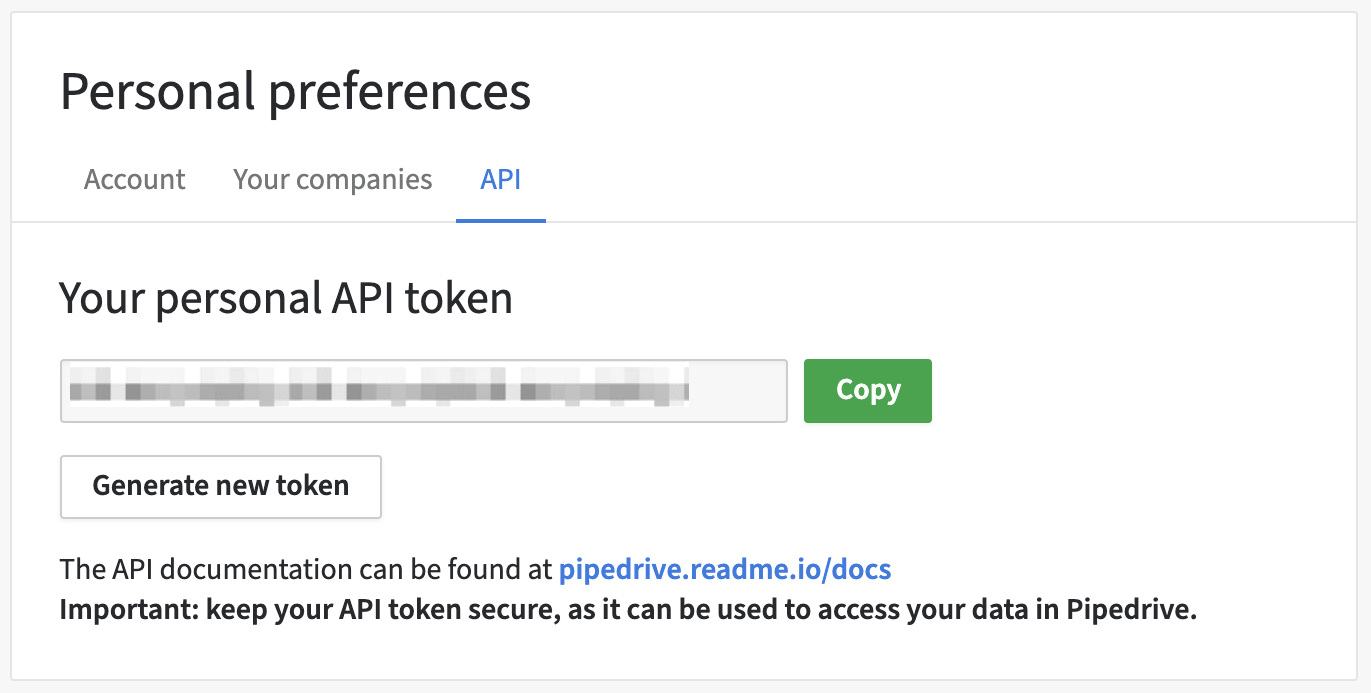
If you cannot find your API token here, it may be that the permission set you
are in does not have that permission enabled.
Connecting Pipedrive to Upsolve
Now that you have your Pipedrive API Key, you can connect it to Upsolve using the following steps:- Navigate to your project in Upsolve and open Project settings → Connections.
- Select your data source from the Connect data cards to begin.
- The Pipedrive connection form opens with Pipedrive preselected.
- Enter a name for your data source name and paste the Pipedrive API Key into the “API Key” input field.
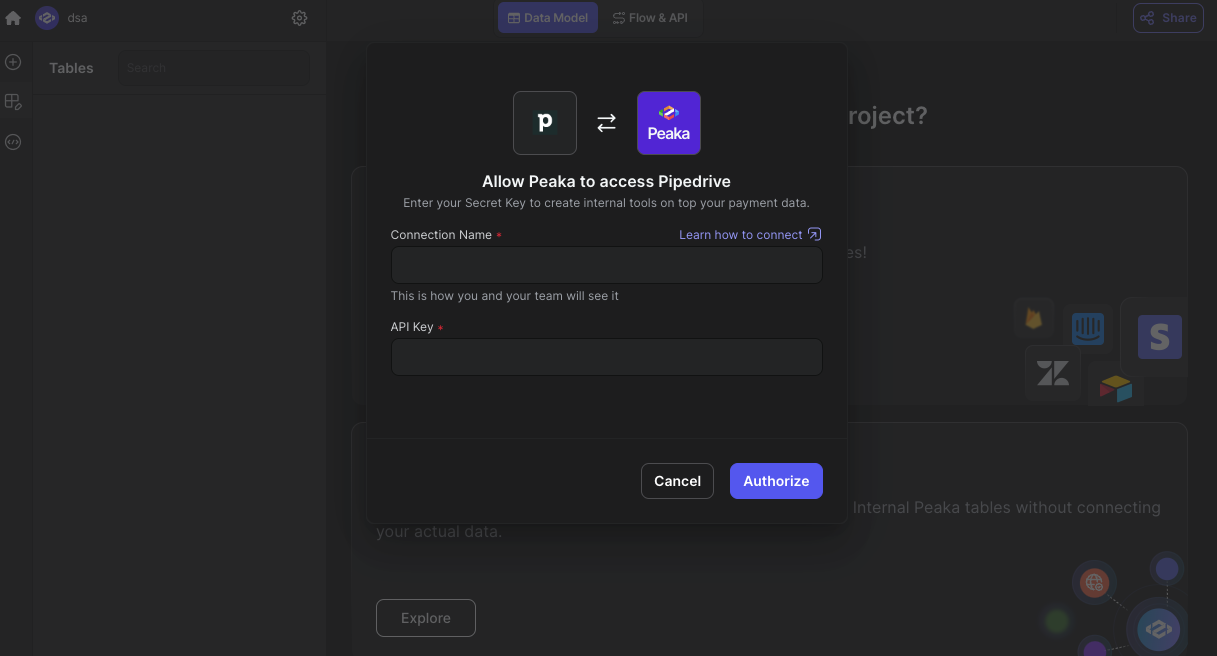
- Click “Test & Create Connection” to create your Pipedrive data source.