

Prerequisites
Before you start, you will need the following information from Salesforce.- User Name
- Password
- Security Token
- To obtain the User Name and Password, go to the article.
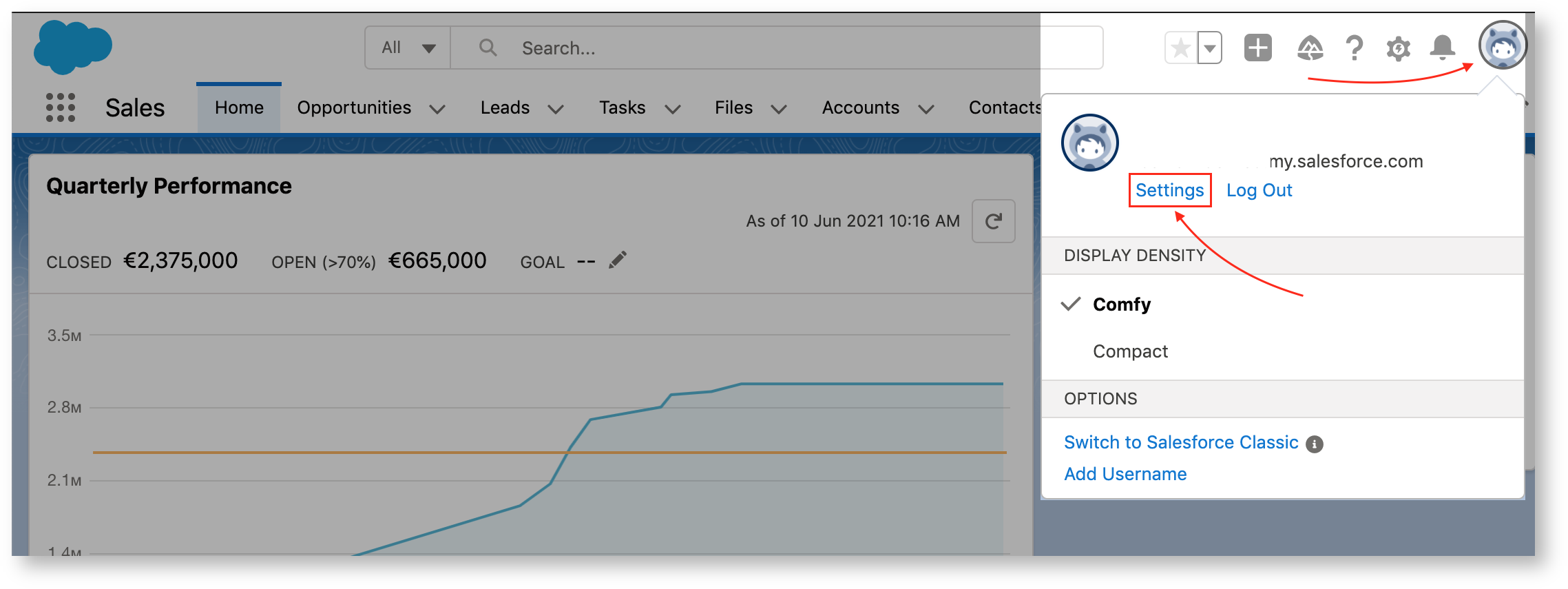
- To obtain the Security Token, log in to your Salesforce account.
- Click the profile avatar and choose Settings.
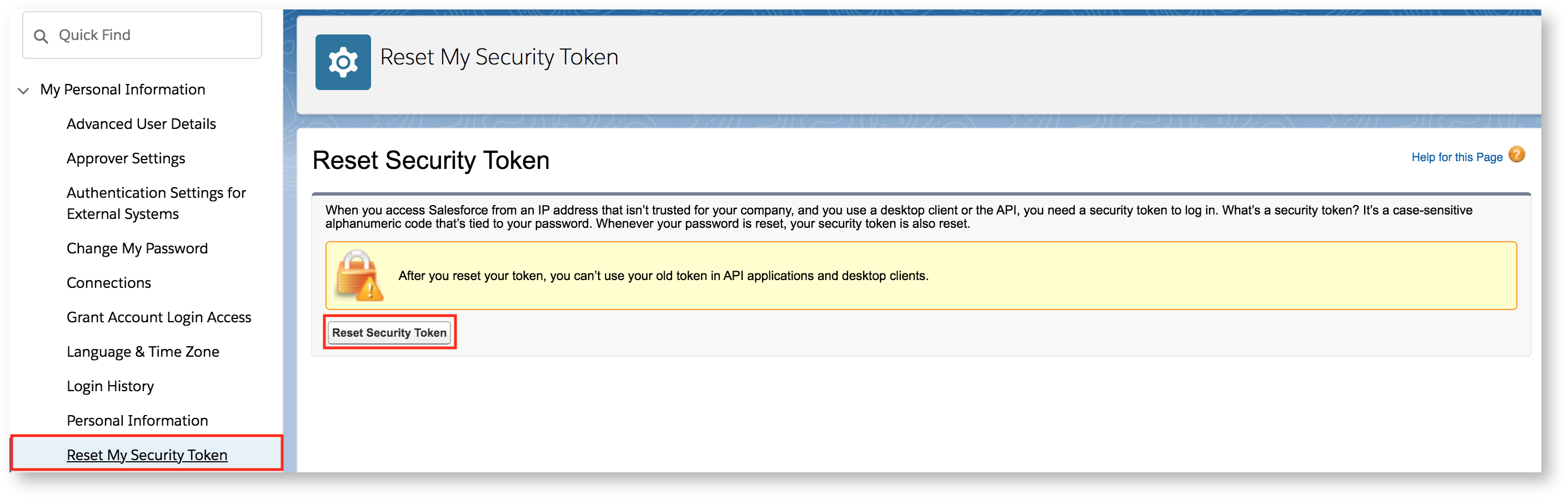
- Select My Personal Information → Reset My Security Token.
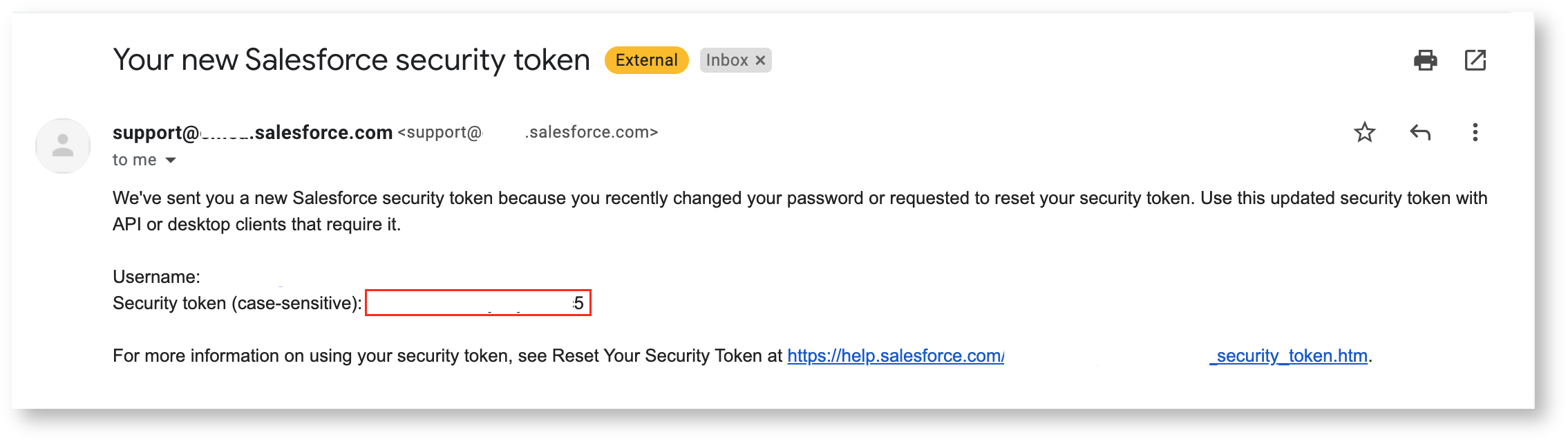
- Check your email for the security token.
Connecting Salesforce to Upsolve
- Navigate to your project in Upsolve and open Project settings → Connections.
- Select your data source from the Connect data cards to begin.
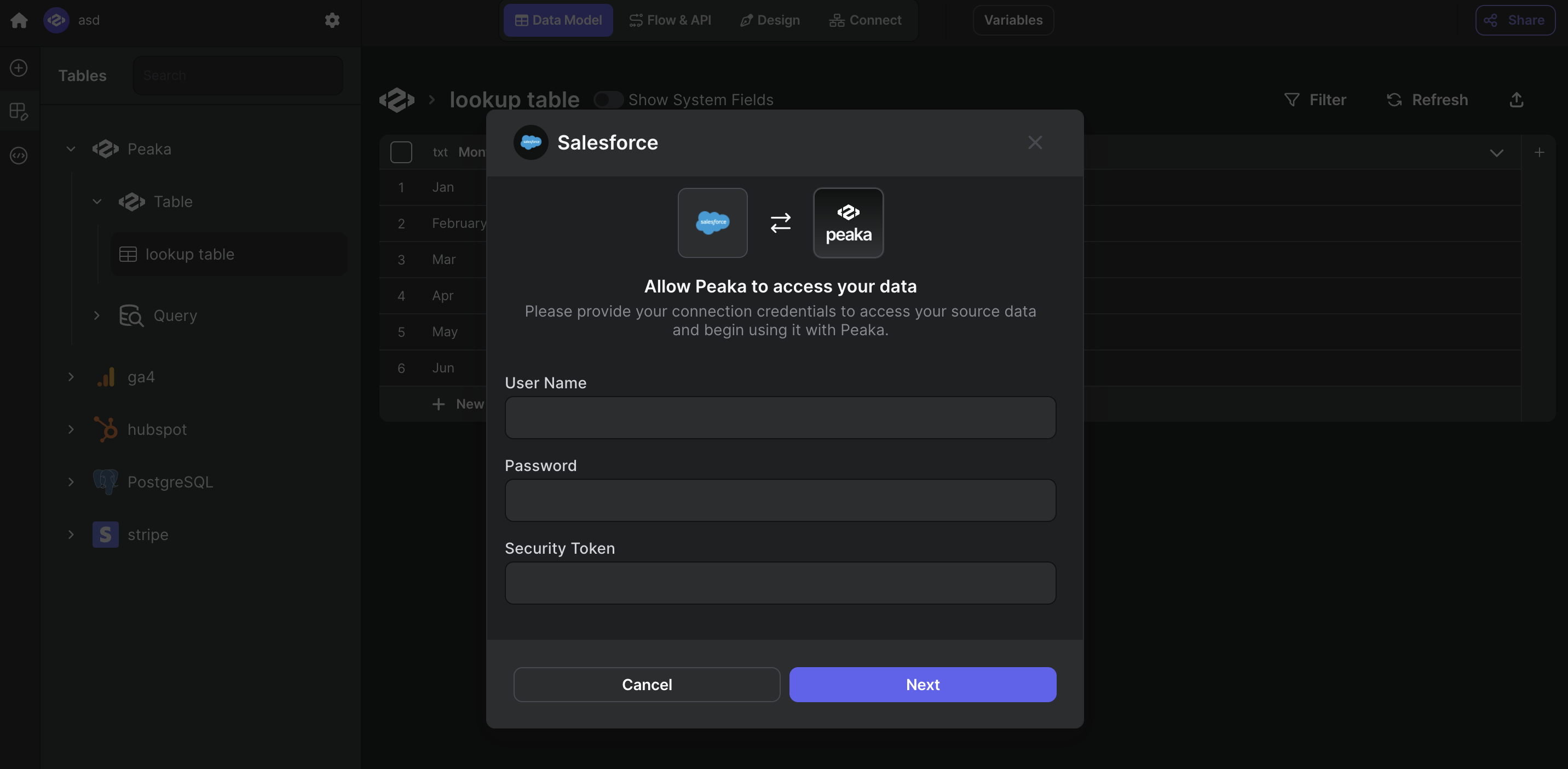
- The Salesforce connection form opens with Salesforce preselected.
- Enter a name for your data source and input credentials you obtained in the previous step.
- Click “Test & Create Connection” to create your Salesforce data source.
 Congratulations! You’ve successfully connected Salesforce to Upsolve. You can now access and manage your Salesforce data seamlessly within the Upsolve platform.