

- Navigate to your project in Upsolve and open Project settings → Connections.
- Select your data source from the Connect data cards to begin.
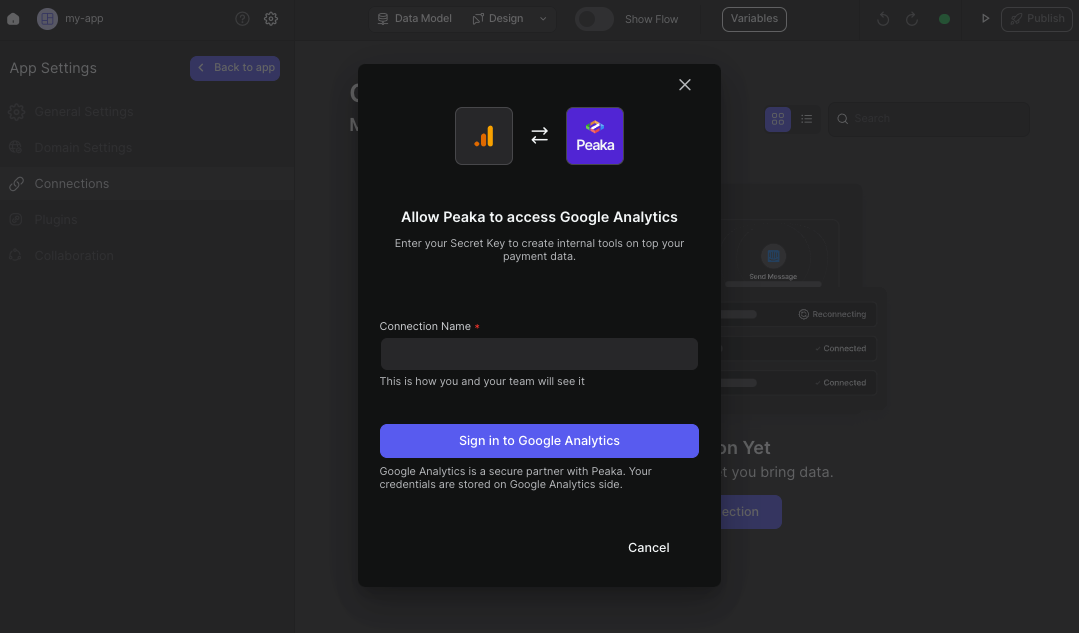
- In the modal, select “Google Analytics” as your data source.
- Enter a name for your data source.
- Click the “Signing in to Google Analytics” button. This will open a modal to allow Upsolve access to your Google Analytics account.
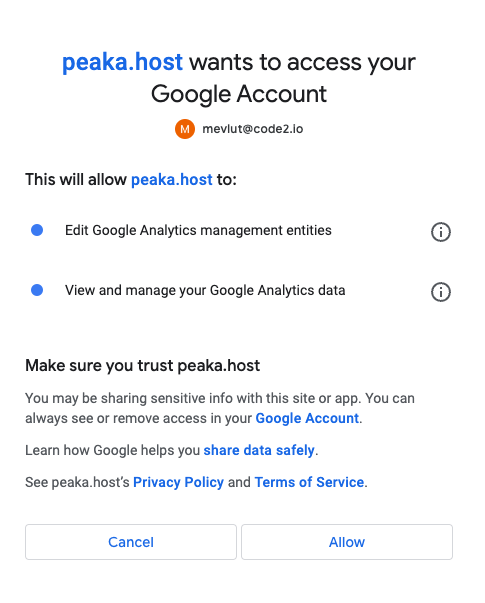
- In the modal, click the “Allow” button to grant Upsolve access to your Google Analytics data.
 Congratulations! You’ve successfully connected Google Analytics to Upsolve. You can now access and manage your Google Analytics data seamlessly within the Upsolve platform.