

The content layer in Git is a Beta feature for GitHub repositories holding a dbt project. It is not available in Upsolve Local.
- A pull request is checked: the repository’s Upsolve workflow runs
dbt parseon it, so a broken project fails before it is merged. - A merge into the branch the workspace listens to becomes a new workspace version, automatically.
- You promote that version to production when you are happy with it, or let each merge promote itself.
What the repository owns
Once a workspace is connected, these parts of it come from the repository and are read-only in Upsolve. In the workspace’s rail they are grouped under one entry, Repository, with a tab for each.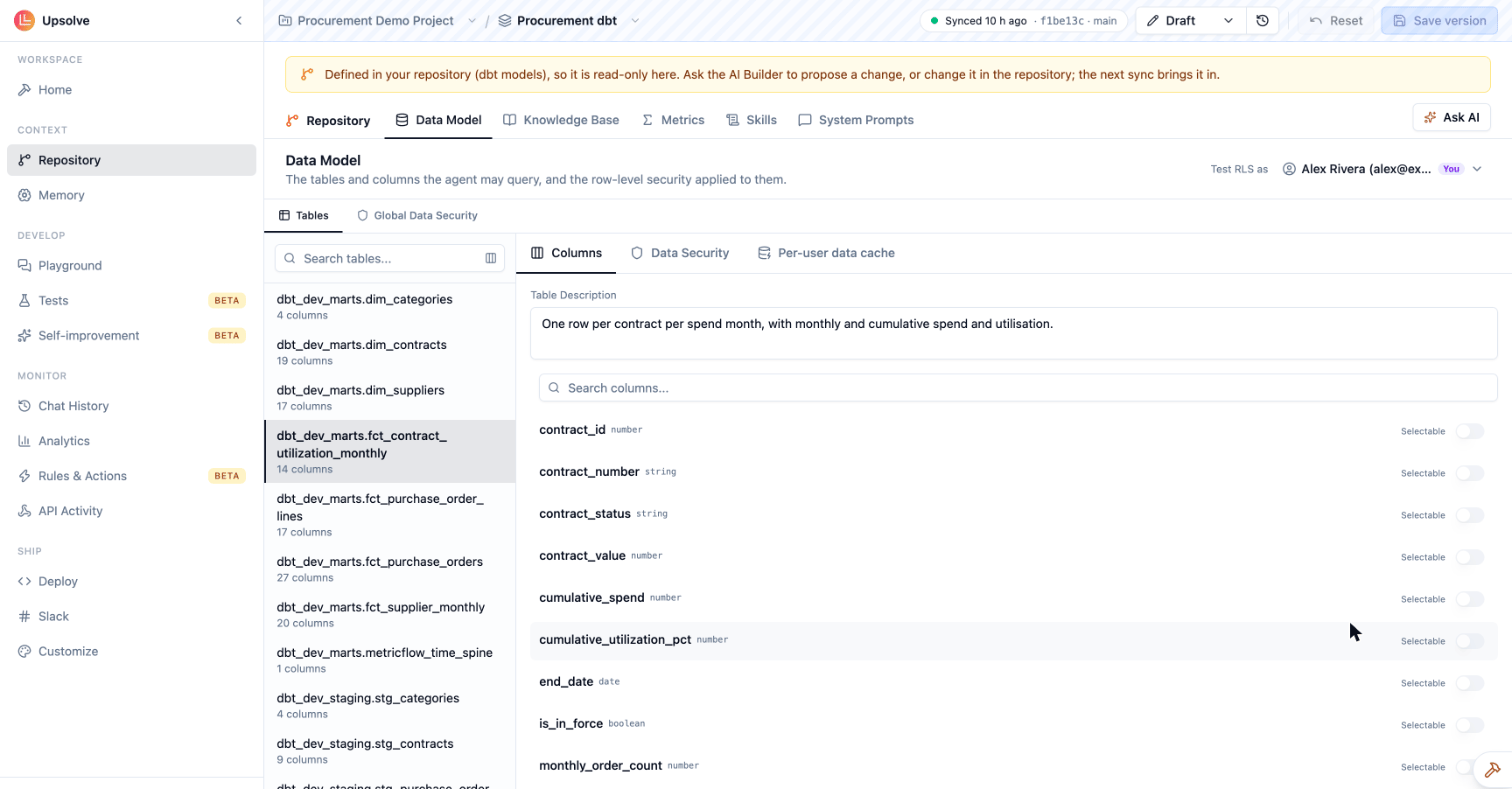
Still edited in Upsolve: tests, golden assets, working memory, the theme, canvases, sharing, environments and everything under Settings. These describe how the workspace is used, not what the data means, so they stay out of the repository.
Metrics are owned by the repository only once a sync has found MetricFlow metrics in it. Until then the Metrics page works as in any other workspace.
The full file layout, with examples, is in the Repository reference.
How a change reaches the agent
1
Open a pull request
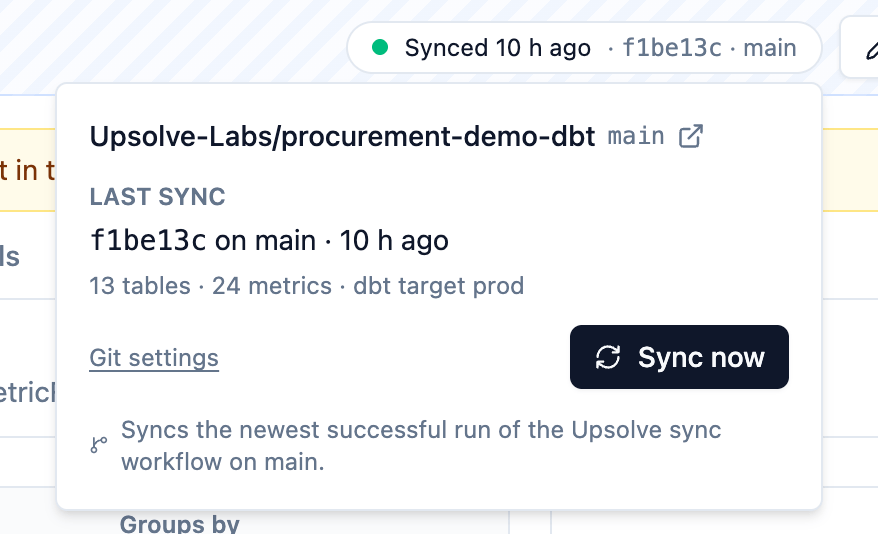
Change a dbt model, a description, a metric, a skill or a prompt on a branch and open a pull request into the branch the workspace listens to. The Upsolve sync workflow (added by the setup pull request) runs
dbt parse on it as a check. Pull request runs never change the workspace.2
Merge it
When the pull request merges, the workflow runs again on the push and uploads its parse. GitHub tells Upsolve the run finished, and Upsolve syncs: it reads the parse, writes the workspace’s draft and publishes it as a new version.
3
Promote it
By default the new version is not what your users get yet. Check it in the Playground or run your tests against it, then promote it from the version picker. Turn on Promote each merge to production under Settings → Git to skip this step.
Changing something from Upsolve
Because the repository owns these sections, Upsolve never edits them in place: a write from the editor, the API, the CLI, an MCP tool or an agent is refused. Changing one is a commit. You don’t have to leave Upsolve to make that commit. On any repository-owned page, Ask AI opens the Builder Agent with a request to propose a change. It writes the change as a commit on a branch namedupsolve/changes-<branch> and opens one pull request into the branch the workspace listens to. Further changes you ask for collect on the same pull request until it is merged or closed, so an afternoon of edits is one review, not ten.
The Builder Agent can propose changes to:
- a skill, a knowledge base file or a prompt,
- row-level security: a global rule or a model’s own condition (Team plan),
- a model’s or column’s description and its
meta.upsolvesettings.
Row-level security is reviewed twice
Row-level security inupsolve.yml needs the Team plan. A repository that declares rls on a lower plan is refused rather than synced without it, because dropping the rules silently would hand every user every row they were written to withhold.
If a commit loosens row-level security — removes a rule, or a condition that used to filter a table — the sync stops before publishing and the workspace records what changed. The sync chip then shows the sync as failed: an owner or admin opens it, reviews what the commit loosens and accepts it, which syncs again. Otherwise, revert the commit in the repository.
Staging and production from one repository
A workspace listens to exactly one branch. To try changes before production, create two workspaces on the same repository: one listening tostaging, one to main. Merging staging into main then moves the change from the first workspace to the second. Each has its own versions, tests and users.
You can switch a workspace’s branch under Settings → Git, but that changes what its next sync reads; a second workspace is the safer path.
Who can do what
Disconnecting (Settings → Git) forgets the repository and stops syncing. The workspace stays a git workspace and goes back to the start of its setup page, ready to connect a repository again. The Upsolve GitHub App stays installed on your GitHub account; uninstall it on GitHub if nothing else uses it.
Next steps
Set up
Connect a dbt repository and run the first sync.
Repository reference
upsolve.yml, the upsolve/ folder and meta.upsolve.dbt metrics
Answer from your MetricFlow metrics.