

upsolve/prompts/sql.md and the SQL prompt becomes empty.
Tables and columns: your dbt models
The workspace’s tables are exactly the dbt models in the parsed project, read fromtarget/manifest.json. Sources, seeds and snapshots are not enabled. Each model’s table is found in the warehouse connection by the relation dbt writes for it (schema.alias), so a model with an alias works as expected.
Descriptions come from the model’s and each column’s description:. A {{ doc() }} block is rendered by dbt before Upsolve reads it.
meta.upsolve
Upsolve’s own settings for a model or column live in dbt’s meta, which dbt keeps in the manifest as written:
meta set with config: meta: in dbt_project.yml or a model’s config() block works too.
upsolve.yml
At the repository root. The setup pull request adds it; a sync refuses to run without it. It is read strictly: invalid YAML, or a block of the wrong shape, stops the sync with the workspace untouched.
environments.production.target
The dbt target dbt parse runs against. The workflow reads it on every run, so changing it here changes what the next sync reads. The branch a workspace listens to is not in this file: it is set in Upsolve (Settings → Git), so one repository can feed a staging workspace and a production one.
rls
Row-level security for the workspace, in the same two forms as the Data Model editor’s.
rules are global rules, applied to every table they fit:
tables gives one model its own condition, keyed by dbt model name, which replaces the global rules on that model. where is one SQL condition on the model’s own columns. Fill in the person asking with {{user.<key>}} or {{organization.<key>}}; any other {{…}} is refused, since it would reach the database as written.
Models behind a metric must be filtered. Once upsolve.yml declares any row-level security, every model behind a MetricFlow measure must be filtered — by its own tables condition, a schema rule, or a column rule on a column it has. MetricFlow joins dimension tables onto the facts, so a rule on a dimension table alone filters none of the facts’ rows: a metric would add up every tenant’s numbers. A sync that leaves one unfiltered stops with FACT_TABLE_NOT_FILTERED.
require_on_facts: when true, it is stricter: every model behind a MetricFlow measure needs a condition of its own under tables. A global rule that would filter it does not count. Turn it on when you want every fact table’s filter written out explicitly.
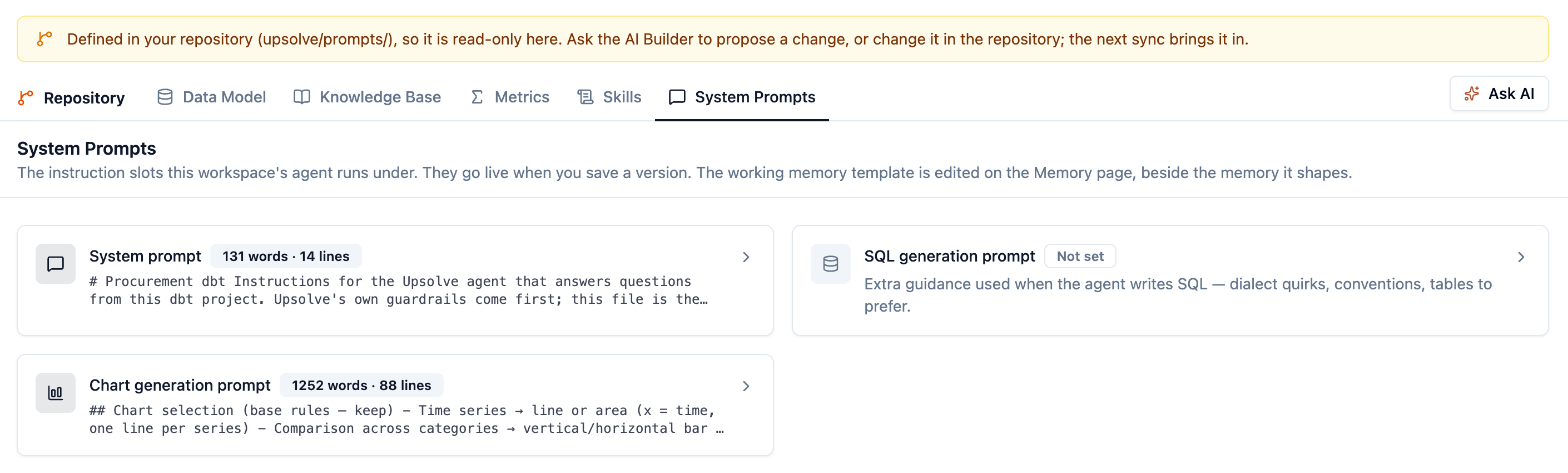
upsolve/prompts/
A missing file is an empty prompt. Working memory is not a prompt the repository holds; it stays in Upsolve.
upsolve/skills/<name>/SKILL.md
One folder per skill. The folder name is the skill’s name: lowercase letters, digits and hyphens. The file is front matter plus the instructions:
upsolve/knowledge/<slug>.md
One Markdown file per knowledge base entry. The file name is its slug (lowercase letters, digits and hyphens), and its first # heading is its title.
.github/workflows/upsolve-sync.yml
Added by the setup pull request. On every push and pull request it installs dbt and your adapter, reads the target from upsolve.yml, runs dbt deps (when you have packages.yml) and dbt parse, and uploads an upsolve-sync artifact holding target/manifest.json, target/semantic_manifest.json, upsolve.yml and upsolve/. Artifacts are kept for seven days.
It runs on every branch so a workspace can switch branches, or a second workspace can listen to another one, without editing it. Upsolve reads only runs for pushes to the branch a workspace listens to; pull request runs are checks.
You may edit it (pin dbt, add a step), as long as it still uploads the same artifact under the same name.
dbt parse never connects to your warehouse and needs no credentials. See If you don’t commit a profiles.yml for how the workflow builds a profile.